Multi Copy Paste

Unlock 10 additional copy and paste

2 followers

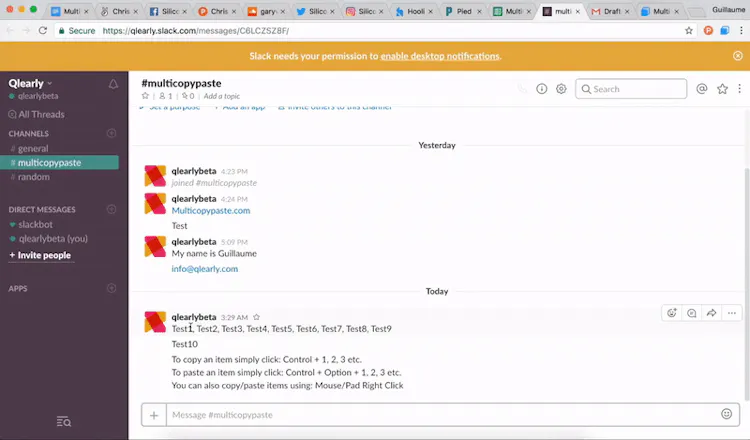
Multi Copy Paste is a browser extension that will help you copy up to eleven items at the same time. You can copy/paste them using your keyboard shortcuts or a right click. To Copy: Control + 1. To Paste: Control + Command ⌘ + 1.

Multi Copy Paste gallery image
Launch Team
Auth0
Auth0
Start building with Auth0 for AI Agents, now generally available.
Promoted

What do you think? …

James Futhey
Interesting!
Guillaume Bardet
@futhey Thank you James!
StumbleSC.com
Nice extension thanks Guillaume! When do you think you will release the actual extension for Opera?
DailyEDM.com
@guillaumebardet Let us know when its available :)
Guillaume Bardet
@stumblescdotcom We are probably looking at 1-2 months! In the meantime I am not sure if you saw it on our Twitter but as of now you could use the following: https://addons.mozilla.org/en-US.... Please let us know if you have any problems! @dailyedmdemo I will make sure to do so :)
Guillaume Bardet
Hi Product Hunters! First of all thank you @_jacksmith for hunting us! I am one of the makers for the Multi Copy Paste Chrome Extension. We first put this extension together for ourselves but we figured we might as well share it with everyone so here we are 😄 Quick tip: - You will need to refresh the pages you wish to use the extension with after the installation. - To Copy: Control + 1 . - To Paste: Control + Command ⌘ + 1. - You can also use your right click to copy or paste items. - If you close your browser the copied item(s) will remain saved. - You can use third party tools to install the extension on Opera and Firefox (Visit our Twitter). We hope some of you will find this extension useful and if you have the time, we would love to hear your feedback. Thank you!
Erez Abittan
Hi @guillaumebardet, this looks great! Where is the data stored? Is it saved locally or in the cloud? I could not find this information on your website.
Creech_Gemaw
Nice!! Thats going to save me so much time, good call @stumblescdotcom on the opera version
Guillaume Bardet
@stumblescdotcom @creechgemaw Happy to help! Please let us know if you encounter any issue Creech.
DailyFreebies
Pretty cool extension guys thanks for the heads up!
Guillaume Bardet
@dailyedmfreebie You're very welcome, I hope it will help!
Atta ⚡️
Interesting, why just 10 additional copy & paste? There is already an open-source software ClipX which allows unlimited additional copy & paste including images. I'm using it since 5 years and is really helpful. http://bluemars.org/clipx/
Guillaume Bardet
@attacomsian Thank you for your feedback Attar, to be honest no specific reasons besides the fact that we are going based off of the keyboard numbers and we are trying to keep the shortcuts as simple as possible. I was actually unaware of ClipX but I am glad it has been helpful!
Jérémy Macq
Reminds me of Age of Empires : used Ctrl + 1/2/3/4/5/6/7/8/9/0 to shortcut your squad :-)
Guillaume Bardet
@dipsy_fr Haha good one Jérémy, I didn't think of that! I hope you are finding the extension useless. If you encounter any issue or notice something we should change please don't hesitate to let me know!