
MokuBot
The AI agent that actually does the work in NetSuite
18 followers
The AI agent that actually does the work in NetSuite
18 followers
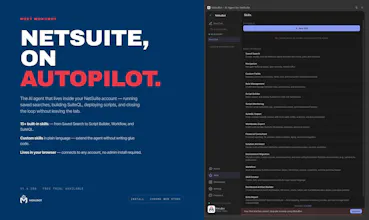
Most AI tools generate output you still have to act on. MokuBot is an agent - it executes. Write SuiteQL, build saved searches, workflows and live dashboards, create records in bulk, generate and deploy SuiteScript, diagnose failed scripts - all from plain English. Runs in a Chrome side panel on your existing NetSuite session. No setup, no API keys. Read-only by default with granular controls. Tasks that take a developer an hour take two minutes.



the part that stands out is that AI writes land in System Notes attributed to you exactly like a manual edit. that's good for accountability day to day, but if auto-approve is on for repetitive work and something goes sideways at 2am across a batch of records, how would you actually tell, after the fact, which of those System Notes entries were the bot acting autonomously versus you clicking through by hand? seems like you'd want that distinction the one time it actually matters.
@galdayan Gal, fair point, and it's really the broader trust question with AI more than a System Notes quirk. YOLO mode exists because some people genuinely want it for high-volume, low-stakes work - but it's your call, it's off by default, and we'd never tell you to run it on the records where being wrong actually costs something. AI is AI: lean on it where a mistake is cheap to catch, keep yourself in the loop where it isn't.
That said, you gave us a good idea. We're adding a client-side audit trail that logs every data change locally - on your side, not on our servers - so if it ever matters you can go back and tell exactly what was changed. It's on the roadmap now and will be coming soon. Appreciate the thoughtful read.
How does it handle permissions when it needs to write data, do I just toggle a switch in the side panel or is there a longer approval workflow involved?
Hi @tlinbyktlm4v1 !
It's layered, not a single toggle:
Read-only by default. Every connected account starts this way. MokuBot can look up records, run searches, and navigate, but can't change anything until you allow it.
Granular write toggles. You enable writes per capability: records, scripts, saved searches, custom records, role management, deletes, UI actions. Deletes are separate, so you can permit edits without risking a delete.
Per-account policy. Each NetSuite account has its own settings. Keep Production read-only while a Sandbox is fully open.
Approval before each action. Even with writes enabled, every write triggers an approval card showing the exact operation and data. You approve or reject before it runs.
Optional auto-approve mode. For trusted, repetitive work, you can turn off the per-action prompts and let it run within the capabilities you enabled. Off by default.
Role permissions still apply. MokuBot's access is also capped by your NetSuite role. Even with writes and auto-approve enabled, it can't do anything your role doesn't already permit.
So it scales from fully hands-off to click-to-confirm to full autonomy, and you set the level per account.
More on the architecture here: https://mokuhub.com/mokubot-netsuite/security
Thank you for the interest in our product!
How does it handle permissions and audit trails when it's executing writes inside a live NetSuite session, especially for users who don't have full admin access?
Hi tugay865925 !
This matters most for limited-access users, so both sides of it:
• Your role is the hard cap. MokuBot runs inside your own logged-in NetSuite session, so it can only do what your role already permits. No delete rights, or no access to a record type, means the bot has none either, whatever's toggled on. The controls below only narrow that, never widen it.
• Writes are opt-in and confirmed. Every account starts read-only. You turn on writes per capability (records, saved searches, scripts, deletes, and so on), each a separate switch, set per account. With writes on, each one still shows an approval card with the exact change before it runs. Auto-approve exists for repetitive work, off by default.
• Audit in two places. Since writes go through your real session, changes are attributed to you in NetSuite's native audit (System Notes), like a manual edit, with coverage following NetSuite's own field tracking. On our side we log each action as metadata (user, time, tool, status, duration), without storing record content.
So for a non-admin, accountability doesn't shift: every write is theirs, capped by their role, confirmed by them, and traceable in both logs.
https://mokuhub.com/mokubot-netsuite/security
Do you train AI models on my prompts?
Hi @kostromin_dmitrii !
Good Question! No. Inference is routed through OpenRouter under a zero-retention setup, so prompts and outputs aren't logged or used for training. We don't enable prompt logging on our side either. Your conversations aren't stored on our servers. Chat history lives locally in your browser, and if you want it across devices you can turn on sync to your own Google Drive. Nothing leaves your account unless you switch that on. On the backend we keep metadata only: token counts, which tool ran, timestamps for billing and limits. Not the content of your records or messages.
The Chrome side panel approach is smart, no context switching while staying in NetSuite. Two minutes to spin up a saved search from plain English actually held up in my quick test, which is rare for these tools.
@lyassapancei0e thank you for the feedback!
finally a netsuite tool that actually does the work instead of just suggesting code. the side panel approach is smart, no context switching from the account i'm already logged into.
@ramazannq8r thank you for the feedback! That was our goal - Get the AI assistant with zero steps installation but with flexible controls on it's permissions.