
MJSFX
Sounds & effects studio
11 followers
Sounds & effects studio
11 followers
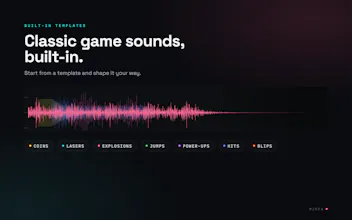
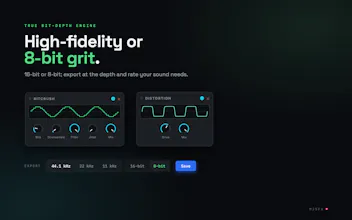
MJSFX is a native Apple Silicon Mac app for making game sound effects. Start from built-in generators, layer multiple voices with their own effects chains and LFOs, or mutate and randomize to explore (undo on everything). Export WAV at 44.1/22/11 kHz in 16 or 8-bit, including per-layer stems. Light and dark themes plus a theme builder on the site. Custom MIDI controller support. Sound files are JSON. No AI in the app, but the direct download ships with an MCP server.





Free
Launch Team / Built With


LightfieldAI-native CRM that builds itself and does work for you
Promoted
Howdy Product Hunt 💥!
Matt here, dev behind MJSFX.
Why I built it: I started coding small indie web-based games at infinitetoast.com, then quickly graduated to native iOS (https://toastjuggle.app; Android version coming soon!). When I needed a game sound or effect I'd try rfxgen or jsfxr, which are solid tools, but I wanted something "more" and macOS native and nothing existed.
What MJSFX is:
🤘 Inspired by and stands on the shoulders of jsfxr, rfxgen, and sfxr
🎮 Generators to get you started: pickups, lasers, explosions, jumps, hits, etc.
🥞 Layer multiple voices, each with its own controls
🔗 Per-layer and main sound effects chain
🌊 LFOs that can modulate almost anything including itself and other LFOs
🎲 Mutate or randomize; undo on everything
💾 WAV export at 44.1/22/11 kHz, 16 or 8-bit, plus per-layer stems
⌨️ Keyboard shortcuts for (almost) everything
🎨 Themes: light, dark, and a theme builder on the site
🎛 Custom MIDI controller support (create your own config)
🔌 No in-app AI, but the direct download version ships with an MCP server
📄 Sound files are JSON
Available via Apple signed and notarized direct download and Homebrew. Or download from the Mac App Store: https://apple.co/4y9sQ5f
Free. Fully offline. No accounts, no network access (except dd/hb update checks to https://mjsfx.app), no telemetry, no ads.
Ask me anything.
How does the MCP server actually work with MJSFX, does it let you generate or tweak sounds from Claude or just hand off presets? Also curious if the layers are sample based or fully synthesized from the generators you start with.
@ooygur66777 The MCP server (mjsfx-mcp) is a headless, standalone bin bundled inside MJSFX. It's built at compile time, combining the same MJSFX synthesis engine the app uses with an MCP server. The engine is currently full synthesis, but I have a backlog item to explore other forms of sound generation.
The headless engine synthesizes sounds that are bit-for-bit identical to what the app generates given the same sound parameters. It's why the MCP version can generate the sound and save it into your workspace, and you can play it with the MJSFX app.
I'm working (right now) on adding live scanning of the sounds directory in the workspace so any sound generated via the MCP server immediately shows up in the app. You can read more about the MCP server, here:
https://mjsfx.app/reference/mcp
And yes, you can tweak the sound via Claude (or another AI) as much as you'd like. I have a Claude Code skill available:
Love that the files are JSON, makes versioning sounds with git actually sensible. The MIDI controller and per-layer stems are thoughtful touches for a niche tool like this.
THANK YOU, @brahimbedk4vop !
Actually, all of the app's config files: controllers, generators, MIDI configs, sounds, and themes are JSON. I use an app-specific extension to manage the ecosystem, but they're all just vanilla JSON. I've set up a gh repo with canonical versions that I'll keep updated:
https://github.com/matthewjschultz/mjsfx-reference
And I've published the file formats on the site:
https://mjsfx.app/support/formats
finally a native mac tool that doesn't feel like a port — the layer + lfo workflow made a usable sword swoosh in like ten minutes. nice touch shipping the per-layer stems.
THANK YOU, @birolt5jw ! 🤘❗️
Finally a Mac-native sound design tool that doesn't feel like a port. Loved layering voices with per-layer LFOs and exporting stems separately, the JSON file format is a nice touch for tweaking outside the app.
Thank you, @hilal1o3m !