
MinimalistNotes
In-browser private notepad, no signup required, free forever
8 followers
In-browser private notepad, no signup required, free forever
8 followers
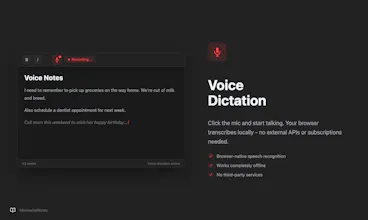
MinimalistNotes is an in-browser notes app for privacy-conscious writing. No signups required, write instantly. Your notes stay in your browser, never touching our servers. Built-in voice dictation lets you capture thoughts hands-free. Text-to-speech plays back your writing. Dark mode protects your eyes. Export to Markdown or PDF instantly. Works flawlessly offline and online. Perfect for daily notes, journaling, brainstorming, or building personal knowledge.




Hey Product Hunt! 👋
I'm the maker of MinimalistNotes, and I built it because I was frustrated.
Every notes app wanted my email. Wanted to store my thoughts on their servers. Wanted to eventually charge me for "premium" features.
But 90% of my note-taking is just... jotting things down. Quick thoughts. Draft messages. Ideas I don't want to forget.
Most of the times, I happen to be in the browser working on some stuff.
For that, I didn't need Notion's databases or Obsidian's graph views. I needed something simpler.
So I built MinimalistNotes with a few principles:
1. No account required - Open and write. Zero friction.
2. Offline-first - Notes live in your browser. They work without internet.
3. Public Notes - You can share/blog your notes with the world. (Only these notes are synced)
4. Privacy by default - I can't read your notes even if I wanted to.
5. Free forever - No catch. This is a passion project.
Some features I'm particularly proud of:
- Voice dictation that just works (Chrome/Safari Supported currently)
- Token counter for fellow LLM users
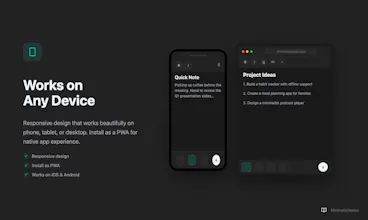
- PWA support - install it as a real app
I'd love your feedback. What would make this more useful for you?
Built with care in Japan 🇯🇵
Thanks for checking it out! 🙏
Congrats! So works on MacOS and iOS both?
@daniele_packard Thanks Daniele! Yes, it works perfectly across MacOS and iOS.
The app surely feels immersive on both. Give it a try and let me know which feature you liked the most!
I'm using it daily as a go-to for saving temporary notes, immediate action items while working, using it as a notepad before posting something on other platforms etc.