Launching today

MeetKeeper
Next meeting and a Join button, right in your MacBook notch
1 follower
Next meeting and a Join button, right in your MacBook notch
1 follower
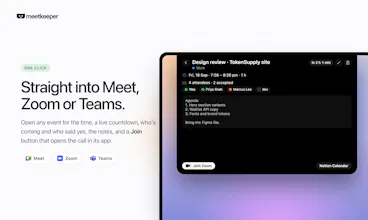
MeetKeeper turns your MacBook's notch into your calendar. It stays invisible until a meeting is close, then shows a countdown and a Join button. Hover for your whole day, join Meet, Zoom or Teams in one click, and add events or invite people by typing a sentence. Answer invites without opening anything. Works with Google Calendar, Outlook, iCloud and Notion. Native Swift, no account, nothing leaves your Mac. 14 days free, then $9.99 once.



Free Options
Launch Team / Built With


EneyProactive AI for Mac. Free test, 20,000 credits.
Promoted
Hey Product Hunt 👋
I'm Anshuman. I made MeetKeeper because my calendar was always one tab away, and I'd only check it after the meeting had already started.
The notch sits right where your eyes already are. So I put the calendar there.
How it works:
• The notch stays hidden until a meeting is close, then shows "Standup · in 8 min · Join"
• Hover it for your whole day: times, attendees, notes, and one-click Join for Meet, Zoom or Teams
• Press ⌃⌥N from any app and type "lunch with Priya tomorrow 1pm". It's on your calendar
• Type a name or email and the invite goes out with a Meet or Teams link
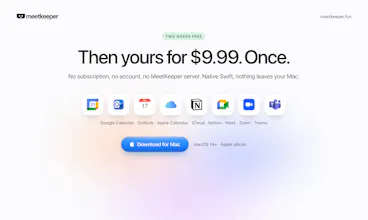
Works with Google Calendar, Outlook, iCloud and Notion. Native Swift, no account, nothing leaves your Mac.
14 days free, then $9.99 once. No subscription.
What should the notch show next?