
MarkView
The markdown viewer that goes beyond rendering
5 followers
The markdown viewer that goes beyond rendering
5 followers
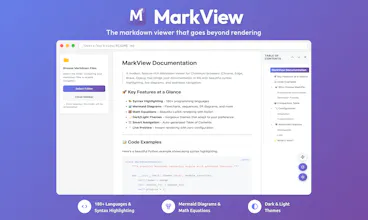
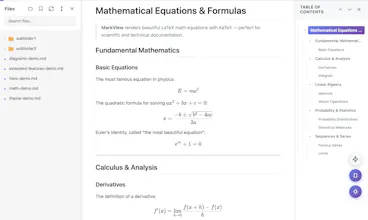
Most markdown viewers render one file, but that's not how you work. MarkView lets you navigate projects with folder browser, bookmarks, and recent docs. Track reading progress, word count, and time. Preview links. View images in lightbox. Export to DOCX/HTML. Live auto-refresh, raw markdown toggle, presentation mode. Advanced rendering: Mermaid diagrams with zoom/pan, syntax highlighting, KaTeX math, GitHub alerts, smart TOC. 100% private - all processing local. Chrome, Edge, Brave, Chromium.
Free
Launch Team / Built With


World model AI : Sharm SEKAISimulate your idea on a living world.
Promoted
👋 Hey Product Hunt! I'm Tung, creator of MarkView.
I write markdown every day: docs, notes, everything. My workflow is simple: write in VSCode, push to my private Git repo. When I need to read - whether I'm at work or home - just pull it down and open in browser.
But here's the thing: I spend 10x more time reading docs than editing them. Opening VSCode just to read a file? Feels like overkill.
Why existing extensions didn't work:
I tried many of them. They're fine for rendering a single file, but that's it. None of them thought about the actual viewing experience:
Can't browse a folder of files easily
No way to bookmark directories or track what you recently opened
Basic rendering, zero productivity features
Feels like using Notepad when you need a proper reader
So I built MarkView:
Not another markdown renderer. A proper viewer optimized for how people actually use markdown files.
The difference - VIEWING experience:
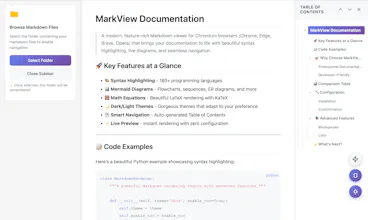
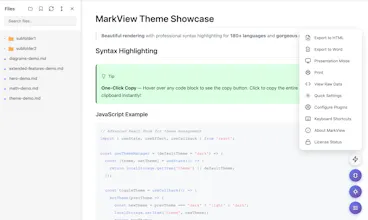
📁 Browse entire folders like a file explorer, switch between docs instantly, bookmark your common directories, see recent files
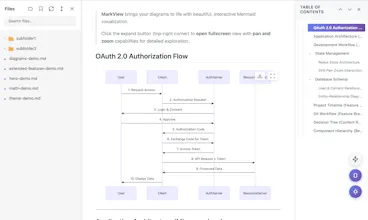
📊 Mermaid diagrams with zoom/pan, professional image galleries with lightbox, interactive table of contents
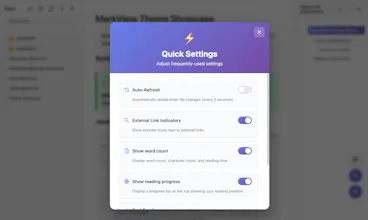
🎨 Reading progress bar, word count & reading time, clean themes that don't hurt your eyes
🔗 External link previews so you know where links go before clicking
The difference - PRODUCTIVITY:
⚡ Live auto-refresh while you edit (no manual reload)
⚡ Toggle raw markdown view with one click
⚡ Export to DOCX/HTML/PDF when you need to share
⚡ Presentation mode - turn markdown into slides instantly
⚡ Works 100% locally - no internet, no tracking, your files stay yours
Built with AI, but zero AI inside - just fast, local processing.
Try it free on Chrome/Edge:
Chrome Web Store
Microsoft Edge Add-ons
What's your current pain point with reading markdown files? Let me know if MarkView solves it (or what's missing)!