
Markdown Editor For Notion Lovers
A clean Markdown editor with a smooth, block-based UX
48 followers
A clean Markdown editor with a smooth, block-based UX
48 followers
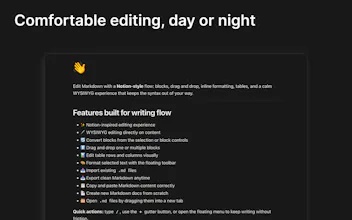
Edit and view markdown text as if you were in Notion, while keeping the simplicity and portability of Markdown: blocks, selection, drag and drop, tables, inline formatting, and a WYSIWYG editing experience that lets you focus on writing instead of fighting syntax.



Markdown Editor For Notion Lovers
Hello PH family!
I built this Chrome extension for anyone who enjoys Notion-style UX and wants to write or view Markdown.
It offers the same block-based flow, without having to fight raw syntax all the time. Since I’m probably not the only one who wants a simple way to edit text without another heavy app, I polished it and shared it here for anyone who might find it useful.
Key features:
🖊️ WYSIWYG editor: make changes directly in the content.
📥 Import .md files.
📤 Export your content back to .md anytime.
📄 Create new Markdown documents from scratch.
🧱 Support for multiple block types: Text, H1-H6, Quote, Bullets, Numbers, Todo, Code block, Image, Table, Divider, and HTML block.
🔄 Convert blocks easily from the selection or the editor controls.
↕️ Drag and drop one or multiple blocks at once.
📊 Edit table columns and rows in a simple visual way.
🎨 Apply text formatting by selecting content directly.
📋 Copy and paste Markdown content while preserving structure correctly.
🗂️ Open .md files by dragging them into a new tab.
✅ Extension available in English, Spanish, French, Italian, and Portuguese.
Hope you enjoy, let me know what you think!
Diego