Launching today

mactooloud
The per-app volume mixer macOS forgot to ship
1 follower
The per-app volume mixer macOS forgot to ship
1 follower
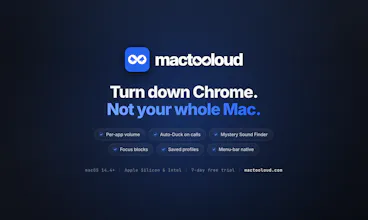
macOS gives you one volume knob for your whole Mac. mactooloud gives every app its own. Pull Chrome to 20% without touching Spotify. Auto-Duck fades music the moment Zoom or Slack grabs the mic, then restores it when you hang up. Mystery Sound Finder catches whatever is making that noise, even in another Space. Focus blocks mute everything but your one lo-fi app. Native menu-bar app - no audio driver, no kernel extension, no virtual device. macOS 14.4+, Universal, 7-day free trial.




Pluto Door
Hey Product Hunt 👋
I built mactooloud because of one specific moment that kept happening:
a Zoom call starts while Spotify is at 100%, and I'm scrambling to find
the tab, find the app, turn it down — then forgetting to turn it back up.
macOS gives you exactly one volume slider for your entire Mac. That felt
like an oversight worth fixing.
mactooloud is a menu-bar app that gives every running app its own slider,
plus a few things I now use daily:
🎚 Auto-Duck — the second Zoom, Slack or Discord touches the mic, music
fades to 10% and comes back when you hang up
🔎 Mystery Sound Finder — a live list of every app touching your speakers,
including the one hiding in another Space
⏱ Focus blocks — a pomodoro that mutes everything except the one app you
want playing
💼 Profiles — save a mix and bind it to a macOS Focus mode
One technical note I'm proud of: it uses the CoreAudio Process Tap API
Apple shipped in macOS 14.4, so there's no audio driver, no kernel
extension and no virtual output device to install. Most per-app audio
tools on macOS have historically needed one. The tradeoff is it requires
macOS 14.4 or later. Universal binary, Apple Silicon and Intel.
Pricing: 7-day free trial, no card. Then $4.99/mo, $39/yr, or $90 once
for a lifetime licence on one Mac.
The thing I'd most like feedback on is the Auto-Duck tuning — I landed on
10% volume, a 175ms fade and a 1.5s restore delay, but that's calibrated
against my own setup and my own meetings. If it feels wrong on yours I
want to know.
Happy to answer anything in the comments 🙏