
LumiChats Offline
Your AI, fully offline with Zero data collection & 100% free
436 followers
Your AI, fully offline with Zero data collection & 100% free
436 followers
Run powerful AI models entirely offline no internet, no GPU, no cloud. LumiChats Offline is a free, open-source desktop app built on GPT4All with full privacy by default. Supports Mistral, LLaMA, Qwen, DeepSeek and our own fine-tuned LumiChats models. Chat with your own PDFs and docs via LocalDocs. Works on Windows, Linux and macOS.
This is the 2nd launch from LumiChats Offline. View more
Lumichats
Launched this week
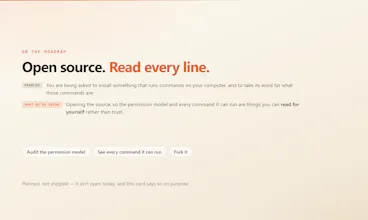
70,000 people use LumiChats in a browser and kept asking for the one thing a browser cannot do: touch their files. So we built the desktop one. It runs commands on your machine, writes real documents, and you pay only for the work you run.




Free Options
Launch Team / Built With


the ask-before-changes / auto-apply / read-only split covers permission, but what about undo? if it's written a real .docx or edited files in a folder and I don't like what it did, is there any versioning or rollback, or is the expectation that I'm backing my own files up before pointing it at a folder? that's the part that'd decide whether I trust it on anything important versus a scratch directory.
LumiChats Offline
@galdayan There's real rollback, and one gap you should know about before you trust it on anything that matters.
Every file a tool writes or patches is snapshotted immediately before that specific write not at the start of the run, right before the change so a rewind restores the exact bytes that were there. That covers the ordinary case: it edited four files, you don't like the result, you put them back.
The gap is the one you named. When it produces a document by writing and running a script which is how a lot of .docx and .xlsx output actually gets made the file is created by the script, not by a tool call, so there's no "before" snapshot for it. Creating a new file is harmless, you just delete it. A script that overwrites something you already had is the case rewind won't save you from.
So: it defaults to its own working folder, and pointing it at a real project is a deliberate act. If you do that on anything important, use git. The rewind is a convenience for the common case, not a substitute for version control — and I'd rather tell you that now than have you discover it.
@aditya_kumar_jha1 that's exactly the kind of answer I was hoping for, thanks for not glossing over it. makes sense that script-generated output is the blind spot since it never goes through the tool call path. I'll keep it pointed at scratch folders for now and only aim it at a real repo once git's already covering me there.
LumiChats Offline
@galdayan That is exactly the right call, and honestly it is what I do too.
One thing that makes the scratch folder less limiting than it sounds: you can point it at a real repo for the reading and thinking, and still have it write output somewhere disposable. Most of the risk is in where it writes, not where it looks.
The script path is a real gap and not a permanent one. Closing it means snapshotting before a script runs when it could overwrite something that already exists, rather than only on tool calls. When that ships I would rather you hear it from a changelog entry than from a launch post, so it will be in there.
Zero data collection and fully offline is the first thing I check before recommending a tool on a security-sensitive project. That alone covers a lot of ground. What I want to understand is the model isolation side: does the app sandbox the model process away from the filesystem, or does it get direct read/write access to the project directory? And for the local models, are they bundled or bring-your-own?
LumiChats Offline
@hi_i_am_mimo Both of your questions are about our other product, so quickly: the fully offline one is separate software, and its models are bring your own. Nothing is bundled. You download one matched to your system specs.
LumiDesk, the one launching here, runs the model on our servers. So on your first question, there is no model process on your machine to sandbox, and it never gets direct read or write access to the project directory. It cannot open a file or run a command at all. It emits a tool call, the app executes it locally, and every write, edit and command passes the permission gate first. Grants are scoped to a folder, so anything outside the one you approved asks again, and destructive commands can never be pre approved.
The thing to weigh instead: whatever a tool reads becomes part of the conversation, and the conversation goes to the server. So the boundary is not the project directory, it is what you point the agent at. If the source itself is the sensitive material, the offline product is the one built for that.
That last point is the real question then. If whatever a tool reads goes to your servers as conversation context, what is the retention policy on that data? Asking because source code and local configs are often the most sensitive material, and the server processes context changes the threat model significantly compared to what offline implies in the name.
LumiChats Offline
@hi_i_am_mimo there is no retention policy on conversation data because there is no conversation data on our side.
What we hold for an account is your login id and your subscription plan. That is the whole list. Your conversation history lives on your device as local files, keyed by project. Reopening a chat reads from your disk. Delete a conversation and it is gone, permanently, because there is no server copy to also delete. If an account goes inactive for around six months, the little we do hold gets removed too.
Now the part I will not soften, because it is the actual answer to your threat model question. In cloud mode we do send your messages to the model. That is what cloud mode is. And your messages include whatever the agent was asked to look at, so if it read three source files to answer you, those files are in that request. We do not store it and it does not come back to us, but it transits. For source code, transit is the decision, not storage.
Everything else stays local. Commands run on your machine, files are read and written on your machine, none of it passes through us.
So the honest line: if the concern is a vendor accumulating your codebase, we do not, and there is no archive to breach. If the concern is the source touching any external system at all, cloud mode is the wrong tool no matter how good the retention policy is. That is why LumiChats Offline exists as separate software with local LLMs, and for a security sensitive project that is the one I would point you to.
The permission and rollback answers above are thorough. One thing I didn't see: before a task actually runs, does the user get any kind of cost estimate, even a rough one, or do they find out what it cost only after it's done? Pay-per-use only feels safe to explore if you can tell roughly what a big task will cost before committing to it, otherwise the first surprising bill teaches the same rationing lesson Asad described, just from the other direction.
LumiChats Offline
@raffay_sajjad The estimate question dissolves here, because we do not bill per token.
It is a flat day pass. Sixty nine rupees, under a dollar, and the day is unlimited. Or eleven ninety nine a month. A big task and a small one cost exactly the same, so there is nothing to estimate before you start and no bill that can surprise you afterwards. The worst case is you spent one day's price.
Your point is right about per token products though, and it is the reason we did not build one. Metered pricing makes you do arithmetic before every prompt, and the rationing Asad described comes from exactly that. Charging for the day instead means exploring a task and being wrong about it costs nothing extra, which is when the tool is actually useful.
The CPU only inference is the quietly underappreciated constraint here most offline AI projects quietly assume you have a CUDA capable GPU, so running on any modern laptop without that dependency
LumiChats Offline
@mohammed_messeguem Thanks, Mohammed! That was a deliberate design goal. We wanted LumiChats to work on the hardware people already have, not just high-end GPU machines. If someone does have a GPU, they can use it, but CPU-only support was important so more people can run AI locally without extra requirements. 🙌
Local AI advice usually assumes you have a decent card sitting around, which rules out exactly the students who need it most. Congrats on shipping!
LumiChats Offline
@rohanmanthani That assumption is exactly what the offline product is built against.
It reads your machine first and only offers models that will actually run on it. No GPU is a supported setup, not a failure state. On CPU you get a small model, and it works, just slower and less capable.
A laptop-sized model is not a large one, and anyone telling students otherwise is selling something. But it handles the everyday work, explaining code, drafting, summarising, on hardware they already own with nothing leaving the machine.
The alternative for that student is not a better model. It is no model.
"A black window that expects you to already know the words" is exactly why terminal tools stay niche no matter how good they are.
LumiChats Offline
@irahimiam Thanks, Arash! That line came from hearing the same frustration over and over. The goal with LumiChats is to make that same power accessible without requiring people to learn terminal commands first. Really appreciate you taking the time to read and comment! 🙌
What's the difference with Claude Cowork ?
LumiChats Offline
@tacitefood Great question! Cowork is probably the closest comparison, and it's an excellent product. The main differences are that LumiChats lets you choose between running everything locally or using the cloud, supports 40+ models instead of locking you into one, and has flexible pay-as-you-go pricing with unlimited use during a day pass—no subscriptions or session limits. It's also designed to make powerful AI workflows accessible to non-developers through a simple desktop interface.