
Password manager: GO Passwords
Offline password manager with autofill, 2FA, passkeys
4 followers
Offline password manager with autofill, 2FA, passkeys
4 followers
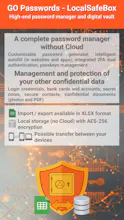
The GO Passwords - LocalSafeBox application is a high-end offline password manager and a 100% local encrypted vault.
No cloud, no external server exposed to leakage risks: your passwords, bank cards and accounts, secure contacts, notes and documents (photos and PDF) stay solely on your smartphone, within a database encrypted with military-grade security (AES-256 encryption).



Hello, Product Hunt community! 👋
I am Alain, the founder of DatasLatitudes and the independent developer of LocalSafeBox, which I am delighted to introduce to you today.
This project arose from a simple observation: we entrust too much sensitive personal data to the cloud, at the expense of our own control and privacy.
The problem? Massive data breaches and reliance on third-party servers.
The solution? A robust digital safe, designed specifically for Android, which works 100 per cent offline.
🔒 Security first (Zero Cloud)
With LocalSafeBox, your passwords, private photos and confidential PDF documents never leave your phone.
All your data is stored exclusively in an encrypted database that can only be read by the app.
To ensure absolute security, I have utilised the excellent open-source library net.zetetic:sqlcipher-android. Thanks to this, your local database benefits from military-grade AES-256 encryption.
📊 The ‘Killer Feature’: Excel import/export
I wanted to avoid the pitfall of closed-off apps where your data is held hostage. LocalSafeBox therefore includes advanced import and export functions in Excel format (XLSX). This means you can fill in, edit, save and restore your entire vault with complete freedom using a simple spreadsheet on your computer or smartphone.
The app is designed to be transparent, give you full control and be incredibly easy to use on a day-to-day basis.
I’m really keen to hear your feedback, fellow enthusiasts:
What security or organisational features would you like to see in the next version?
What do you think of the hybrid Excel/local vault approach?
A huge thank you for your support and your valuable feedback! 🚀
Alain