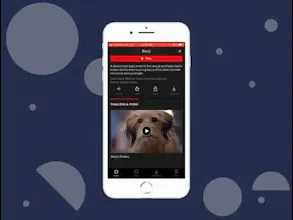
Live Mockups helps you create Video Mockups for your Websites, Apps and UI Prototypes. Make video mockups in just 60 seconds. Export it in MP4 or GIF, Upload Background images and show your beautiful screens in Video Mockups to the world.
Hey PH,
I'm Sahil, maker of livemockups.com. Live Mockups helps you create Video Mockups.
Record your screen or Upload your video interaction into Live Mockups and Show off your work!
More new mockups will be added soon.
I'd love to get some feedback
@mrdobelina Yes, I'm removing audio in final output.
But yes, I think there might be need for audio in mp4 so I'll add option to mute/unmute sounds in final mockup soon
@sahildeliwala1 I'm having trouble when exporting? The video preview in my profile is correct, but when I download it doesn't work properly, it's missing a lot of frames. Any idea why?
@sahildeliwala1 What a great idea - I love that we can adjust the speed.
On the free plan is it the total amount f video that is uploaded per month that your count?
It would be good to be able to bookmark favourite mockups to use time and again
It would also be good to have a transparent background available to in case we want to overlay the video or gif mockups on something e.g. a video
I also could not work out when it asks you to select a resolution if that would be a bgger file size than I was uploading for a test.
I did test with a video created on an iPhone 6 and realised that if I select a solid background colour it would also part fill the screen I am guessing because of the screen size?
Not sure if your service has been on heavy use today, my first test vide ploaded and rendered quickly but the second two seemed not to render when creating a gif possibly due to the length of the video? You might want to consider adding a trimmer feature for people to be able to select a specific part of a video.
Looking forward to seeing how you develop the app.
@krishnade Thanks for your feedback!
You can have transparent gifs but transparent videos is not possible.
If video is long then you should use mp4 video instead of Gif because Gifts are of very large size to be used.
Trim feature is great idea that I'll try to update soon.
Report
@sahildeliwala1 Thanks for coming back to me - how can we do a transparent gif?
@krishnade choose gif there and in the background color picker set the alpha (transparency) at the bottom to 0 (drag that to extreme left) and click choose
Hey :) is it possible to create a click-through video session mockup? For example if I want to showcase the homepage and some other site page of the mockup site. Thanks!
@ivandrag Thanks! You can actually upload background image with text as a background to the video. The video will be in the center of the background image.
Report
@sahildeliwala1 was thinking about adding text for different video screen. For example, creating an app video for Google Play where I can explain with some text and the video app, what it can do.



Live Mockups
Tailry
Live Mockups
Tailry
Tailry
Live Mockups
Live Mockups
Live Mockups
Live Mockups
Live Mockups
Live Mockups
Live Mockups
50+ Contract Templates by Clientjoy
Hey Sahil, great Job out there
Pros:Helps me convince the client better
Cons:There is always room for improvement
Live Mockups