
KidGuard — Parental Control
Protect your kids online
1 follower
Protect your kids online
1 follower
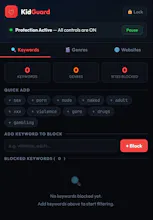
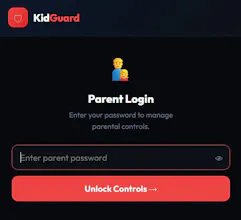
A powerful, password-protected Chrome extension that gives parents full control over their child's browsing experience — blocking inappropriate YouTube content, entire websites, and content genres.




Hey Product Hunt! 👋
I built KidGuard because I couldn't find a simple, free parental control tool that actually worked reliably on YouTube.
Most tools either cost money, require an account, or fail to catch content because YouTube is a single-page app that doesn't reload between videos.
KidGuard solves that by intercepting navigation BEFORE pages load, watching for DOM changes with MutationObserver, and checking video titles via YouTube's oEmbed API — all before your child sees anything.
It's completely free and open source.
Happy to answer any questions — would love your feedback! 🙏
🆕 KidGuard just got a major upgrade — ⏰ Screen Time Limits are here!
I just shipped one of the most requested features: daily time limits for any website.
Here's how it works:
⏱ Set a daily time limit for any site
Add youtube.com, tiktok.com, roblox.com — or any domain you want — and set how many hours and minutes per day your child is allowed. Default is 1 hour.
📊 Live progress bar
Every site shows a real-time progress bar so you can see exactly how much time has been used today:
🟢 Green — under 80% used
🟡 Amber — almost up
🔴 Red — limit reached and blocked
🔒 Automatic blocking
When the daily limit is reached, the site is redirected to a block page — automatically, with no manual intervention needed. The block page shows exactly how much time was used and when the limit resets.