
InputLock
Lock your input method(IME) on macOS
84 followers
Lock your input method(IME) on macOS
84 followers
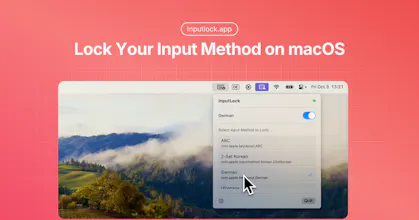
Tired of macOS constantly changing your input method? InputLock locks your preferred input source and automatically restores it whenever it changes.


This is awesome! I wish there would be something similar for other parts of MacOS as well to "lock in place". For example microphone. Every time I put on headphones, AirPods randomly decide to take over.
Finally! That’s been a quiet pain for years. A simple fix like this will save countless moments of frustration. Does it support per-app input preferences too?
@roozbehfirouz Thanks! I’m really glad you find it helpful.Currently, InputLock doesn’t support per-app input preferences,I personally prefer a consistent input method across all apps, without it switching back and forth.
InputLock is a really practical tool—constant input switching on macOS can be surprisingly disruptive. Do you plan to bring this functionality to Windows or Linux as well?
is it just a replacement for the native macOS setting “Automatically switch to a document’s input source”? if this setting is disabled, macOS will not switch the input source. Never.
(Settings → Keyboard → Text Input • Edit → Toggle «Automatically switch to a document’s input source»)
Such a simple yet genius macOS utility. Solves a real annoyance instantly.