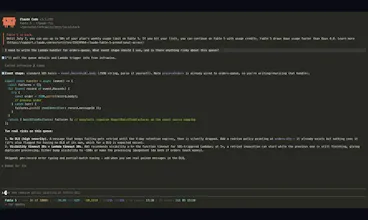
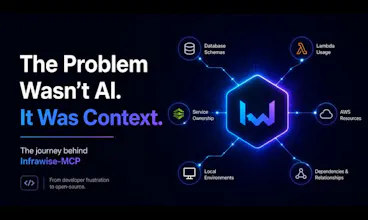
Open-source MCP server that gives Claude Code, Cursor, and Copilot a live, read-only map of your AWS services, database schemas, and IaC. Exact partition keys, Lambda event shapes, and misconfig warnings at coding time. One command, zero config, 100% local.
No reviews yetBe the first to leave a review for Infrawise
Maker
📌
Hey PH! Solo dev here.
I built Infrawise because I was copy-pasting DynamoDB schemas and Lambda trigger shapes from the AWS console into Claude Code every single session. Every session. And the generated code was still wrong, because pasted context is always incomplete — the AI would suggest a scan on a 50M-row table or publish an SNS message missing the attribute a filter policy requires, silently dropping it.
Infrawise is an MCP server that ends that. One command (npx infrawise start) scans your AWS account read-only, your database schemas, and your Terraform/CDK/CloudFormation, and serves 21 tools your AI assistant calls while writing code. It knows your exact partition keys, GSIs, queue configs, and trigger event shapes — so the code is right the first time.
Everything runs locally. No telemetry, no cloud sync, secret values never read. MIT licensed.
I'd love to hear what infra your AI assistant gets wrong most — that's literally my roadmap. AMA!
Report
How does it handle permissions when scanning my AWS account, does it need broad read access or can I scope it down with something like a session policy for just the services I care about?
Report
Maker
@lknur289838 Great question. It doesn't need blanket read access unless you actually want it to.
There are two ways to scope it down:
1. Service-level config (the main one) In infrawise.yaml you explicitly enable the AWS services you want (DynamoDB, Lambda, SQS, SNS, S3, RDS, etc.). If a service is disabled, Infrawise won't even make API calls to it. So in practice, you only need IAM permissions for the services you've enabled.
2. IAM / Session Policies Infrawise just uses the standard AWS SDK credential chain (AWS profile, SSO, environment variables, IAM role, etc.). If you assume a role with a restrictive session policy, that's completely fine. It'll simply operate within whatever permissions AWS gives it.
So if you're only using DynamoDB and Lambda, you can enable just those two in the config and grant read-only access for just those services. No need to hand over broad account-wide permissions.
How does it handle permissions when scanning my AWS account, does it need broad read access or can I scope it down with something like a session policy for just the services I care about?
@lknur289838 Great question. It doesn't need blanket read access unless you actually want it to.
There are two ways to scope it down:
1. Service-level config (the main one)
In infrawise.yaml you explicitly enable the AWS services you want (DynamoDB, Lambda, SQS, SNS, S3, RDS, etc.). If a service is disabled, Infrawise won't even make API calls to it. So in practice, you only need IAM permissions for the services you've enabled.
2. IAM / Session Policies
Infrawise just uses the standard AWS SDK credential chain (AWS profile, SSO, environment variables, IAM role, etc.). If you assume a role with a restrictive session policy, that's completely fine. It'll simply operate within whatever permissions AWS gives it.
So if you're only using DynamoDB and Lambda, you can enable just those two in the config and grant read-only access for just those services. No need to hand over broad account-wide permissions.