
InboxBriefs
AI email summaries, tasks and calendar in one digest
9 followers
AI email summaries, tasks and calendar in one digest
9 followers
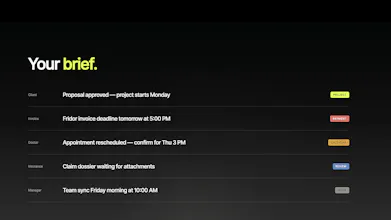
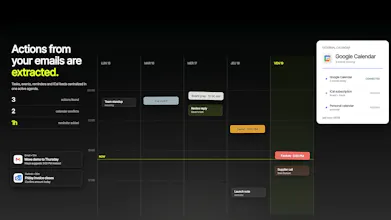
InboxBriefs turns Gmail, Outlook and private IMAP inboxes into a calm daily dashboard. It summarizes your emails, detects priorities, extracts tasks and calendar events, and lets you ask questions with an AI assistant. For teams, it supports shared inboxes, assignments, deadlines and team digests. Stop checking every email. Start acting on what matters.



Hooking up my Gmail took like a minute and the priority summary actually flagged the one work email I had been ignoring all morning. The shared inbox view would be huge for my small team.
@ardacipd Thanks so much for trying InboxBriefs! Really glad the priority summary surfaced the right email for you.
The shared inbox experience is exactly built for small teams that need visibility without constantly forwarding messages or asking who is handling what.
Would love to hear what features would make it most useful for your team.
Love the calm dashboard concept, already feeling less inbox-anxious just reading about it. One thing that would seal it for me is a focus mode that hides low-priority senders entirely for a set window, like a do-not-disturb but for email noise, with a quick recap waiting when I come back.
Love the calm dashboard idea, this is exactly what my mornings need. One thing I'd really appreciate is a "focus mode" that holds back anything tagged as FYI or low priority until I finish the top three tasks it surfaces, so the digest itself respects the calm it promises.