Ideabook Pro

Ideabook Pro

Capture your ideas and unleash your creativity

0 followers

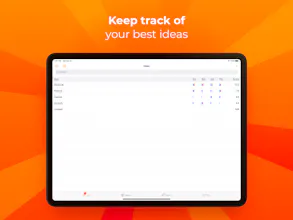
Ideabook lets you easily capture and organize your ideas, actively supports your creative process, and allows you to focus on your best ideas through a flexible rating system.
Ideabook Pro gallery image
Launch tags:iOSiPadProductivity
Launch Team
Intercom
Intercom
Startups get 90% off Intercom + 1 year of Fin AI Agent free
Promoted

What do you think? …

Gerald Aquila
We initially created the original Ideabook to keep track of our own ideas allowing us to focus on the most promising ones. We especially liked the visual factor about it -- the ability to move idea cards around in a virtual "space" and the nice bubble chart visualization for reviewing and analyzing our ideas. Ideabook Pro builds on these original concepts and extends and simplifies them at the same time. We stripped the main UI down to just three tabs ("Ideas", "Spaces", "Bubbles") and instead added more filtering and sorting capabilities resulting in a much cleaner interface. New functionality I personally like most: inline creation and editing in spaces, sharing spaces and bubble charts as PDF, and the much more professional-looking, quadrant-style bubble chart visualization. For the other makers and tech guys: Ideabook Pro is rewritten from scratch in Swift and uses the new Core Data iCloud syncing based on CloudKit that Apple announced at WWDC 2019.