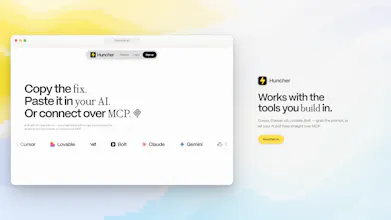
Paste your URL. Huncher finds what's quietly costing you leads — and writes the exact AI prompts to fix every one, ready to paste into Cursor, Lovable, v0, Bolt or Claude.
No reviews yetBe the first to leave a review for Huncher
Maker
📌
Hey Product Hunt! 👋 We're FoundryX, the team behind Huncher.
We built Huncher because we kept watching founders (ourselves included) pour everything into getting traffic while their sites quietly leaked the visitors they already had — a buried CTA here, a 4-second load there, a headline that says nothing.
Huncher scans your page and finds every conversion, design and SEO leak. The part we're most proud of: it doesn't stop at a report. Every leak comes with the exact prompt that fixes it — paste it into Cursor, Claude, v0, Lovable or Bolt, or connect over MCP and let your AI pull the fixes directly.
Your first page is free to scan. We'd love to hear what it finds on your site — we'll be here all day answering questions and taking feedback. 🙌
Report
Ran Huncher on a live site just to test it and honestly wasn't expecting much; most audit tools just say "improve your CTA" and leave you hanging. This one actually diagnoses why (e.g. "visitor can't tell what/who/why in 5 seconds") and gives you a ready-to-paste prompt for e.g. Claude that respects your existing design system instead of nuking it. Score + sub-scores + a pick-what-to-fix checklist, no bloat.
Report
Maker
This made our day @albanm4toshi 🙏 "Diagnoses why" was the whole thesis — a score without the why is just a guilt trip. Same with the prompts: we deliberately write them to detect and reuse your existing stack, tokens and components, because an AI that "fixes" your CTA by redesigning your whole page is just a different kind of leak.
Glad the checklist landed too — copying a prompt marks the leak as handled, so the list actually shrinks as you ship.
If you poked around: the Design, SEO and Competitor tabs go deeper on the same idea (every finding ends in a paste-able fix). Anything you wished it caught but didn't — tell us, that's tomorrow's roadmap. ⚡
Report
Pasted my landing page and it actually flagged a weak CTA I had been ignoring for months. The prompt rewrites were specific enough that I pasted one straight into Cursor and it shipped.
Report
Maker
@sudenursapmaz This is the exact moment we built for — flagged, pasted, shipped, all before the report went stale. 🙌 Love that it was a leak you'd been ignoring for months; the obvious ones are somehow always the easiest to stop seeing. Re-scan once it's deployed and watch the leak drop off the list (the score should tick up too). And if any rewrite ever comes out too generic to ship as-is, reply here — specificity is the whole bar we're holding these prompts to. ⚡
Report
Love that it hands you copy-paste prompts for Cursor and v0 right out of the gate. Most tools stop at "here's the problem" and leave you stranded, so closing that loop is genuinely thoughtful design.
Report
Maker
@yaarayasp3xo Thanks Yaşar! That loop was the whole reason we built it — a report that ends at "here's the problem" is just homework. If you run it on one of your projects and a prompt lands badly, tell me — calibrating those is my full-time job this week. ⚡
Report
Loving the concept of pulling the diagnosis and the fix into one workflow. One thing I'd want as a user: let me save prompt variations per issue and track which one actually moved the metric after I ship the fix, so Huncher learns what works for my site over time instead of starting from scratch every audit.
Report
Maker
@beyzac51u Love this — you just described the feedback loop we've been sketching. Diagnosis → fix → "did it actually work" is the part every audit tool drops. Noting it: save variations per issue, track which one moved the metric, feed that back into the next audit. Would you want the "did it move" signal from your analytics or from a Huncher re-scan?



Ran Huncher on a live site just to test it and honestly wasn't expecting much; most audit tools just say "improve your CTA" and leave you hanging. This one actually diagnoses why (e.g. "visitor can't tell what/who/why in 5 seconds") and gives you a ready-to-paste prompt for e.g. Claude that respects your existing design system instead of nuking it. Score + sub-scores + a pick-what-to-fix checklist, no bloat.
This made our day @albanm4toshi 🙏 "Diagnoses why" was the whole thesis — a score without the why is just a guilt trip. Same with the prompts: we deliberately write them to detect and reuse your existing stack, tokens and components, because an AI that "fixes" your CTA by redesigning your whole page is just a different kind of leak.
Glad the checklist landed too — copying a prompt marks the leak as handled, so the list actually shrinks as you ship.
If you poked around: the Design, SEO and Competitor tabs go deeper on the same idea (every finding ends in a paste-able fix). Anything you wished it caught but didn't — tell us, that's tomorrow's roadmap. ⚡
Pasted my landing page and it actually flagged a weak CTA I had been ignoring for months. The prompt rewrites were specific enough that I pasted one straight into Cursor and it shipped.
@sudenursapmaz This is the exact moment we built for — flagged, pasted, shipped, all before the report went stale. 🙌 Love that it was a leak you'd been ignoring for months; the obvious ones are somehow always the easiest to stop seeing. Re-scan once it's deployed and watch the leak drop off the list (the score should tick up too). And if any rewrite ever comes out too generic to ship as-is, reply here — specificity is the whole bar we're holding these prompts to. ⚡
Love that it hands you copy-paste prompts for Cursor and v0 right out of the gate. Most tools stop at "here's the problem" and leave you stranded, so closing that loop is genuinely thoughtful design.
@yaarayasp3xo Thanks Yaşar! That loop was the whole reason we built it — a report that ends at "here's the problem" is just homework. If you run it on one of your projects and a prompt lands badly, tell me — calibrating those is my full-time job this week. ⚡
Loving the concept of pulling the diagnosis and the fix into one workflow. One thing I'd want as a user: let me save prompt variations per issue and track which one actually moved the metric after I ship the fix, so Huncher learns what works for my site over time instead of starting from scratch every audit.
@beyzac51u Love this — you just described the feedback loop we've been sketching. Diagnosis → fix → "did it actually work" is the part every audit tool drops. Noting it: save variations per issue, track which one moved the metric, feed that back into the next audit. Would you want the "did it move" signal from your analytics or from a Huncher re-scan?