
Huecode
Turn a written theme into an accessible color palette.
6 followers
Turn a written theme into an accessible color palette.
6 followers
Turn text or an image into an accessible Tailwind color palette, with a live preview and code export. Open source, MIT licensed.
Interactive


Free
Launch Team / Built With


AWS Startup AdvisorPersonalized AWS guidance that meets you where you’re already building
Promoted
Hey Product Hunt 👋
I'm Stefania, a senior engineer and designer. Huecode is my first open source project.
Every new project started the same way for me. I knew the mood I wanted, but turning it into a full color system, with text that stays readable in light and dark mode, took far longer than it should. So I built Huecode.
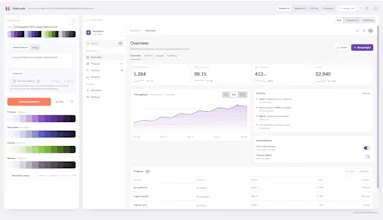
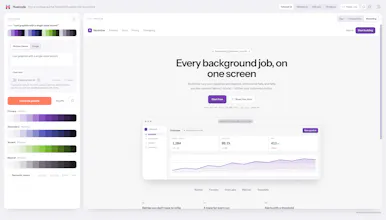
Type "cool graphite with a single violet accent" or drop in a photo. You get eight color roles with eleven shades each, plus light and dark tokens. You check them on real app, component and marketing mockups, then copy the code: Tailwind v4, Tailwind v3, CSS variables or TypeScript tokens.
Two decisions shaped it:
- It works without AI.
The default generator runs offline and gives you the same palette for the same words. AI is an optional extra. If you self-host, you bring your own key (Anthropic, OpenAI or Gemini).
- Text is readable by default.
My first version broke on very light and very dark themes. Now Huecode picks text shades that reach 7:1 contrast for body text (WCAG AAA) and 4.5:1 for secondary text, in both modes.
It's MIT licensed, so you can read exactly where the key lives, how requests are limited and what the hosted demo runs on.
Text input is the strongest path right now. Image extraction is rougher, and improving it is next on the roadmap.
Try it: huecode.stefaniabarabas.com
Code: github.com/larisabarabas/huecode
I'd love to hear which theme you typed and whether the palette matched what you pictured.
Thank you! ❤️