
Gread
Give AI access to source code and docs of all github repos
2 followers
Give AI access to source code and docs of all github repos
2 followers
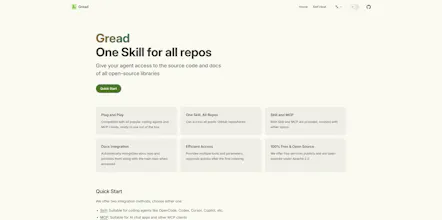
A skill / MCP that gives your AI access to the source code of all public github repos. - Plug and Play: Compatible with all popular coding agents and MCP clients, ready to use out of the box - Skill and MCP: Both Skill and MCP are provided, connect with either option - Efficient Access: Provides a variety of tools to enable AI to read on demand. - Docs Integration: Automatically recognizes docs repo and provides them along with the main repo when accessed - 100% Free & Open Source


When writing code, you often need to provide AI with the latest documentation for libraries. Otherwise, the AI will use outdated API versions. This is especially true for niche libraries, which can lead to hallucinations. However, manually pasting documents every time is too troublesome and not flexible enough. Additionally, when asking AI about the underlying implementation of open-source projects, it needs to read the source code before answering.
I have also tried to find existing tools, but none were satisfactory. So, I spent three days writing this tool and packaged it as a Skill / MCP:
Allows AI to access the source code of all GitHub open-source libraries
Provides tools for searching repositories, listing directory trees, searching code, and reading code, allowing AI to access them flexibly as needed
When the server indexes a repository, it automatically identifies the corresponding documentation library and provides it when accessing the main repository (meaning the AI can see it even if the documentation is in another repository)
Completely open-source and free to use
For coding agents like OpenCode, Codex, Cursor, Copilot, etc., just run the following command to add the Skill:
For MCP clients like AI chat applications, you can install it via MCP:
JSON configuration reference:
More information can be found at:
Homepage: gread.dev
GitHub: NitroRCr/gread
Comparison with Existing Tools
Alternatively, you can directly add the Skill / MCP and ask the AI for more details!