
Glideo
Screen recordings that edit themselves
250 followers
Screen recordings that edit themselves
250 followers
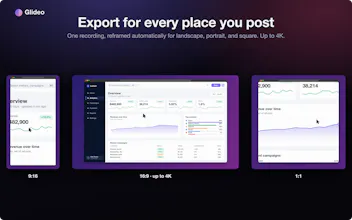
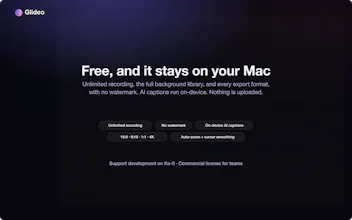
Glideo is a free macOS screen recorder built for product demos and dev tools. It turns raw screen recordings into polished demo videos: the camera zooms toward your clicks automatically, with no keyframing. Same automatic zoom that follows your clicks and cursor. Same polished output. Same "this looks way better than a raw screen recording" result, without a price tag. No trial. No watermark. No catch.


Free
Launch Team

TinyFishSearch, fetch and browse for AI agents. Claim 30% bonus!
Promoted


The auto zoom that follows my clicks actually works really smoothly, way less tedious than keyframing everything in Final Cut. Already exported a polished demo for a teammate in under five minutes.
Took it for a spin on a quick walkthrough of a new feature and the auto-zoom on my clicks honestly looks better than what I've gotten from paid tools. Clean output, no watermark, and it didn't choke on a 10 minute recording.
The automatic zoom that follows the cursor is genuinely impressive, it makes my demos look so much more polished without any extra effort. Solid free option for Mac users.
The auto zoom following my clicks actually feels intentional instead of gimmicky, which is rare for free tools. Exported a quick demo in a couple minutes with zero fiddling.
I've been looking for a simple way to create cleaner product demos without spending hours editing, and Glideo looks like a really interesting approach. The automatic zooming and click tracking seem like they could make screen recordings much more engaging while keeping the workflow simple.
I'm actually preparing for my own upcoming Product Hunt launch, so I'll likely be giving Glideo a try for our demo video. Looking forward to seeing how it performs in practice. Congrats on the launch, and best of luck today!
Finally tried Glideo on a quick demo and the click-following zoom actually works like they say, no fiddling with keyframes. Solid free option compared to other recorders that gate that behind a paywall.
the auto zoom actually follows my clicks without me fiddling with anything, which is rare for a free tool. exported a quick demo in like two minutes, looked way cleaner than i expected.