
Glideo
Screen recordings that edit themselves
250 followers
Screen recordings that edit themselves
250 followers
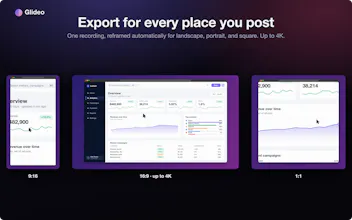
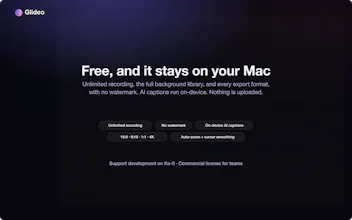
Glideo is a free macOS screen recorder built for product demos and dev tools. It turns raw screen recordings into polished demo videos: the camera zooms toward your clicks automatically, with no keyframing. Same automatic zoom that follows your clicks and cursor. Same polished output. Same "this looks way better than a raw screen recording" result, without a price tag. No trial. No watermark. No catch.




@edward_ng Great product Edward, trying it right now
Congrats on the launch! Really liked the open .glideo folder. Keeping the raw capture and click timeline as plain data means a months-old demo can be restyled or re-cut to 9:16 without re-recording! That skips the proprietary project lock-in other editors lean on. Was capturing input events at record time (instead of inferring zooms from pixels afterwards) the choice that made the free, offline model workable?
@artstavenka1 Thank you! The free offline model was definitely afforded by the amount of information exposed by MacOS to be able to capture live ongoing information and map it directly to what was being captured. Since all information is local and deterministic anyways, there was virtually no need to outsource any compute!
How does the automatic zoom actually track what counts as an "important" click vs just a stray hover? Curious if it gets confused during long demos with lots of UI noise.
@devranmarangoz The automatic zoom is primarily focused on different mouse states and interactions, recording clicks, highlights, and the corresponding keystrokes too for notation. Hovers result in a default camera setting after a while and you can decide how long you want a zoom to be in a certain spot if it's not exactly what you want!
Does the auto-zoom actually track clicks across multiple displays, or does it get confused if the cursor jumps between screens mid-recording?
@ylmazturan3du8 Since it's still early access / release, I haven't tried it across multiple displays, but it works fine just for a single window / full display. Could be a good direction for me to look into!
Free, no watermark, no trial is a strong opening position but it immediately raises the obvious question of what the business model actually is. Is this a loss leader for a paid tier coming later, or is there something else going on with how it's sustained?
@ansari_adin The only paid tier would be if you wanted to use this in an enterprise setting, we can discuss a contract for enterprise licenses! Otherwise, I am making this tool purely because I feel as if there should be good dev tools that aren't restricted just behind paywalls (and I'm sticking to that)!
@edward_ng Fair enough, good to know the free tier isn't a bait and switch, that alone will get a lot of people to actually try it.
How does the auto-zoom handle recordings with lots of small UI elements like dropdowns or tooltips? Curious if it gets confused when multiple clickable things are close together.
@diyard3qn It will do slight shifts in the focus zooms based on what you're hovering around and interacting with after an automatically tagged keystroke / mouse event! Sometimes it will miss the mark depending on how big the menu is, which is why zoom adjustments tools for post-processing are available to make slight adjustments that shouldn't take too long!
Every founder has 40 raw screen recordings and zero published demos — the editing is the bottleneck, not the recording. Auto-zoom on clicks with no keyframing is exactly the right abstraction. Does it also auto-cut the "uh, wait, let me redo that" moments?
@medal411 Yes, there is a feature where you can indicate pauses that you would like to cut out automatically to be removed!