
Glideo
Screen recordings that edit themselves
250 followers
Screen recordings that edit themselves
250 followers
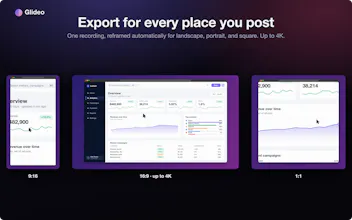
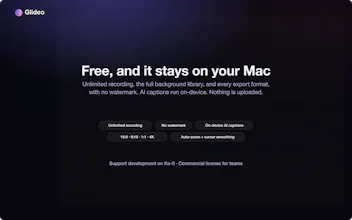
Glideo is a free macOS screen recorder built for product demos and dev tools. It turns raw screen recordings into polished demo videos: the camera zooms toward your clicks automatically, with no keyframing. Same automatic zoom that follows your clicks and cursor. Same polished output. Same "this looks way better than a raw screen recording" result, without a price tag. No trial. No watermark. No catch.




does the auto-zoom actually work well on high-DPI retina screens, or does it get a bit confused when you're moving between multiple windows quickly?
How does the auto-zoom actually decide when and where to zoom in, especially if the click is on a tiny icon or a menu item?
How does the auto-zoom actually handle really fast clicking or dragging across the screen without making the video feel jittery?
Finally a mac recorder that follows my clicks without me babysitting keyframes, did a Loom-style demo in like two minutes. Surprised something this clean is free with no watermark.
finally a screen recorder that gets the auto zoom right without making me fiddle with keyframes. zoomed right to where i clicked, smooth and clean. solid for product demos
finally a free screen recorder that does the smart zoom thing without making me sign up for anything, the auto follow on clicks actually feels smooth and not janky like the other tools i tried
The click-tracking zoom is genuinely clever, especially how it stays smooth without manual tweaking. Nice to see a macOS-native recorder that respects the platform instead of bolting on a clunky web wrapper.