
Glideo
Screen recordings that edit themselves
250 followers
Screen recordings that edit themselves
250 followers
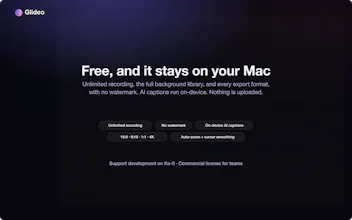
Glideo is a free macOS screen recorder built for product demos and dev tools. It turns raw screen recordings into polished demo videos: the camera zooms toward your clicks automatically, with no keyframing. Same automatic zoom that follows your clicks and cursor. Same polished output. Same "this looks way better than a raw screen recording" result, without a price tag. No trial. No watermark. No catch.





the "runs entirely on your Mac, nothing leaves your machine" plus donation model instead of a paywall is a genuinely rare combo, most free tools flip that within a year once VC money wants a return. one question on the open .glideo folder - is that format something you're committing to keep stable across versions, or could an app update change the structure and break projects someone recorded a year ago? that promise of "reopen and re-export later" is only as good as the format still being readable by whatever version of Glideo exists then
The automatic click tracking actually works really well, no fiddling with keyframes which I usually end up scrapping anyway. Surprised it's genuinely free without slapping a watermark on everything.
@enayaw9g Yep! Thanks for checking it out!
The auto zoom following my clicks actually works without me fiddling with anything, which is rare for free tools. Solid pick for quick product demos.
@tlaygkaydn8tjg Yes, that's amazing to hear, thanks for checking it out!
how does the auto-zoom actually know what to follow on screen, especially in apps with tiny ui elements or dense dashboards where every click matters
How does the auto-zoom handle really fast clicks or accidental double-clicks, does it smooth those out or do you end up with a jittery mess in the final cut?
how does the auto zoom actually decide when and how much to zoom in around each click? curious if it ever gets awkward on longer recordings with lots of movement.
Does the auto-zoom actually handle UI elements that move with animations, like dropdown menus or modals, or does it get confused in those cases?