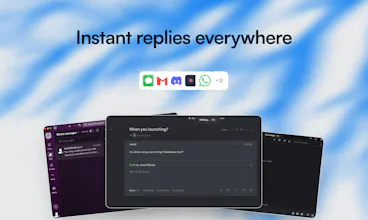
Friendware is not only a tab to complete everywhere. It’s a new paradigm of the proactive AI. The death of context switching, explaining yourself to and AI, and copy and pasting
Hey PH fam 👋
Jared here - founder of Friendware.
Like many of you, I love using AI to save time…
but I kept hitting the same wall
constant context-switching, copy/paste, re-explaining myself.
So I built Friendware.
🚀 What it is
An AI that stays with you everywhere, understands what’s on your screen, and helps you act instantly - just press Tab.
⸻
🎉 Founding Member Cohort is now open
We’re opening lifetime access to a small group of early users who want to actively shape the roadmap.
Founding members get:
• 🔒 Lifetime access
• 💬 Private Discord with direct access to me
• 🤝 1:1 onboarding so Friendware is personalized to you
• 🧠 Real influence on what we build next
⸻
If you live in your keyboard and feel AI should be faster than it is today, I’d love your feedback.
👉 Check it out: friendware.ai
Happy to answer any questions below 👇
Report
I’ve tried several other apps that attempt to do this and they have all been very resource heavy and/or disappointing so far. I still think the concept is great but I’m frankly not willing to pay before seeing it work after having been scarred. I appreciate there’s a money back guarantee but that’s still asking a lot of work from people who’ve been jaded before. I would pay for the right product but I need to see it work for me first, without a credit card.
@andrew_heim Thanks Andrew! Voice integration is definitely on our radar - would be a natural fit. Right now we're focused on deepening the AI capabilities and expanding integrations with the tools people already use daily. Happy to chat more about the vision if you're interested!
Report
@jaredsuniverse yeam seems like a perfect fit for a whisper/willow/aqua voice on steroids tbh! yeah will shoot you a dm
Report
Interesting approach. Would love to hear what’s next on your roadmap.
Report
The screen context understanding is interesting. For text-heavy workflows like documentation or research, does Friendware handle visual elements (screenshots, diagrams) or is it primarily text-based context?
@yamamoto7 Hey thanks! So right now its optimized for text-based context to prioritize speed and limit the amount of noise it picks up. Is there a particular workflow you have in mind in relation to documentation / research ?
Report
@jaredsuniverse Makes sense to prioritize speed. I'm thinking about cases like reading API docs or research papers where you need to reference code snippets while writing - the text-based approach should work well for that.
@yamamoto7 ah I see! Yes, soon it will be very tailored to the individual user via self learning so that way it can just pick on those patterns you might have like reading papers and referencing code snippets.
Report
Ok looks great. Excited about the way it’s triggered. Will give it a go.
Friendware
Friendware
Hey - Quick clarification based on a few DMs I’ve gotten:
Friendware isn’t a chatbot, you don’t “go to” it.
It stays with you and activates only when you press Tab, using what’s already on your screen as context.
So instead of:
open AI → explain → copy → paste
It’s:
pause → Tab → done
Curious where people here find most annoying about their current AI workflow. Where does it break flow for you?
Friendware
@basicpixel Yes I'll definitely do that, thanks!
Looks great Jared. What's on the roadmap in the near future? Seems like this would pair well with voice?
Friendware
@andrew_heim Thanks Andrew! Voice integration is definitely on our radar - would be a natural fit. Right now we're focused on deepening the AI capabilities and expanding integrations with the tools people already use daily. Happy to chat more about the vision if you're interested!
@jaredsuniverse yeam seems like a perfect fit for a whisper/willow/aqua voice on steroids tbh! yeah will shoot you a dm
Interesting approach. Would love to hear what’s next on your roadmap.
The screen context understanding is interesting. For text-heavy workflows like documentation or research, does Friendware handle visual elements (screenshots, diagrams) or is it primarily text-based context?
Friendware
@yamamoto7 Hey thanks! So right now its optimized for text-based context to prioritize speed and limit the amount of noise it picks up. Is there a particular workflow you have in mind in relation to documentation / research ?
@jaredsuniverse Makes sense to prioritize speed. I'm thinking about cases like reading API docs or research papers where you need to reference code snippets while writing - the text-based approach should work well for that.
Friendware
@yamamoto7 ah I see! Yes, soon it will be very tailored to the individual user via self learning so that way it can just pick on those patterns you might have like reading papers and referencing code snippets.