
FocusStack
Easiest way to understand, improve and protect your focus
38 followers
Easiest way to understand, improve and protect your focus
38 followers
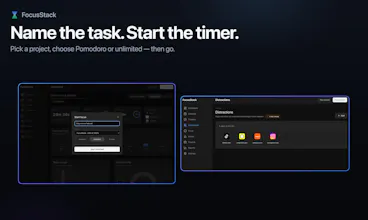
FocusStack is for people who make things. Start a focus session, name it after your task, pick the project. FocusStack tracks every app and site automatically, blocks what derails you, and nudges you back when you drift. One click launches your whole work setup at once. At the end of the day, you see exactly where your focus went and what each project actually cost you. No cloud. No subscription. It runs on your machine. Pay once, keep it for life.




@nishlesh Congrats on the launch! 🎉 Love the local-first approach and the one-time purchase model. Curious—what's the biggest distraction people are usually surprised to discover is eating their focus time once they start using FocusStack?
@nicole_hynek
Thank you! 😊
LinkedIn, surprisingly.
Most people assume it’s Instagram, X, or YouTube, but a lot of our users spend far more time on LinkedIn than they realize because it feels productive. For others, it’s YouTube.
The common pattern is that the biggest distractions are usually the ones we justify as “work.” 😅
Dial
Love that this is built from personal frustration rather than a feature checklist. The "I built it for myself" origin story usually leads to something that actually works. The piece I find most interesting is the automatic tracking - most time tools fail because you have to manually start/stop things and that overhead itself breaks focus. Does the nudge system have any learning to it, or does it work off fixed rules? Curious how it handles the false positives where you legitimately need to switch context.
@omri_ben_shoham1 I myself had that problem of forgetting to start and stop the timers. I introduced focus apps and distraction app system. When user opens focus apps like Cursor, Figma User gets nudge to start the timer. When user gets distracted or is finished with the work and goes to watch let's say YouTube which is in distraction list user will get that nudge.
Right now, we did not that feedback to make nudging system smarter. We will try something. There is one problem we don't have any user data as all things stay local. If you can suggest any system for it, we would be happy.
Hey FocusStack folks, great work. I have a few questions and requests.
Here's kind of how my days look. I'm usually working on multiple projects at once. And for each project I might have like 3 to 5 Claude Code sessions open at the same time. So for, say, Project A, one session is me doing research, another one I'm running experiments, and a third one I'm actually building something. They're all terminals; they all look identical from the outside, but in my head they're very different threads of the same thing.
And then somewhere in the middle of all that I'll start getting pulled toward Project B because something there needs attention too. And suddenly I've lost the thread on Project A without even realising I drifted.
So I'm genuinely curious: when I have those 5 Claude Code instances all open for Project A, is there a way to tell FocusStack that all of these belong to the same project even though they're technically the same app? Like can I assign individual terminal windows to a project?
And the second thing, when I do start sliding into Project B territory, how does FocusStack actually catch that, given I will be doing that in the terminal itself? And honestly a nudge is a good start, but I know myself well enough to know I'll dismiss it and keep going lol. Is there anything more forceful it can do? Even something like making me click through a "Are you sure you're switching projects?" kind of moment would help. Just enough friction to make it a conscious decision rather than an accidental one.
Would love to know how deep it can actually go here.
@suraj_prasad9
Thanks for the thoughtful question. This is actually a workflow we’ve heard from quite a few developers.
Right now, FocusStack tracks apps and websites, but it doesn’t distinguish between individual terminal windows or Claude Code sessions. So if you have five Claude Code instances open for Project A, FocusStack will currently see them all as the same application. For project tracking, you manually select the active project, which works well as long as you’re not actively switching between multiple projects at the same time. In your workflow, where different terminal sessions represent different threads of work, we definitely understand that the current model falls short.
As for catching when you drift from Project A into Project B, FocusStack doesn’t yet have visibility into that level of context inside terminal sessions, so it won’t automatically know you’ve switched projects. That’s something we’re very interested in exploring because it’s a real problem for developers.
On the nudges side, we had the exact same concern you mentioned: most people just dismiss notifications without thinking. That’s actually why our distraction nudges don’t have a dismiss button. If you’re in a focus session and open something distracting, the notification is intentionally a little annoying 😅. The only way to get rid of it is to end the focus session, which feels like a much bigger decision and creates a small moment of friction. We don’t have a dedicated “Are you sure you’re switching projects?” flow today, but I really like that idea. It fits closely with how we think about focus: not preventing people from switching, but making sure the switch is intentional rather than something that happens on autopilot.
I’ve tried RescueTime and Rize before and that’s very close to what you’ve build. What made you decide to build another productivity tracker, and what’s the biggest thing users seem to prefer about FocusStack?
@dhruv_garg2
Honestly, RescueTime and Rize are both great products.
The reason we started building FocusStack wasn’t because we thought tracking was broken. It was because even after seeing where our time went, we still struggled to stay focused.
Most people already know they’re getting distracted. The hard part is catching it while it’s happening.
That’s why we’re spending a lot of time on focus sessions, distraction blocking, nudges, and helping people protect their attention, not just measure it.
Dial
The auto app/site tracking + task-naming flow is clean, but this is one of the most crowded segments in productivity software - RescueTime, Toggl Track, Serene, Cold Turkey all compete here. The "nudge back when you drift" feature is the interesting bit - is that pattern detection or rule-based? That's the one thing that could actually carve out real differentiation from the existing tools. What does that look like in practice?
@galdayan
Fair point. Tracking is a commodity feature now.
Our focus is less on tracking and more on helping users start and stay in a workflow through Focus Stacks. The nudges are currently simple and rule-based, we’re still learning what works before adding more complexity.
Mailwarm
How aggressive are the blockings, and can you set different rules per project or session?
@thamibenjelloun
Great question!
The blocking is intentionally pretty aggressive. During a focus session, if you open an app or website you’ve marked as a distraction, FocusStack doesn’t just send a one-time notification and forget about it. It keeps nudging you until you either close the distracting app/site or explicitly end your focus session.
The idea is to make distractions hard to ignore once you’ve committed to focused work.
Right now, you can choose which apps and websites should be treated as distractions during focus mode. We’re also working on more granular controls, including different distraction rules for different projects and focus sessions, so your setup can adapt to the type of work you’re doing.
Tracking is easy. How does FocusStack actually help me stay focused?
@pixelite2030 Honestly, tracking was the easy part.
The harder problem was figuring out how to stop myself from getting distracted in the first place 😅
That’s why we added things like focus sessions, distraction blocking, and nudges when you start drifting away from what you’re supposed to be doing.
The tracking helps you see the problem. The rest helps you do something about it.
At least that’s what we found while building and using it ourselves.