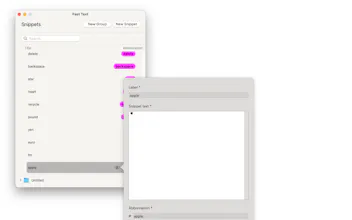
Introducing "Fast Text - Text Expander" for macOS – the ultimate tool for streamlining your typing experience. With "Fast Text - Text Expander", you can create custom shortcuts for your most frequently used text snippets, saving you time and effort.
Tired of typing the same phrases over and over again? With "Fast Text - Text Expander", you can create custom shortcuts for your most frequently used text snippets, saving you time and effort.
Introducing "Fast Text - Text Expander" for macOS – the ultimate tool for streamlining your typing experience.
From symbols to past and future dates, our app comes pre-loaded with essential categories to kick-start your productivity.
Plus, with the ability to expand text in any app, you'll never have to worry about repetitive typing again.
Say hello to efficiency and goodbye to wasted time – download "Fast Text - Text Expander" now from the Mac App Store!
- Create customizable text snippets with shortcuts
- Pre-built categories including Symbols, Past and Future Dates, Letters in Circles, and Defaults like "ty" for "Thank you" and "br" for "Best Regards"
- Assign shortcuts to each snippet for quick expansion
- Type in any app with the assigned shortcut
- Boost productivity by flying through repetitive tasks effortlessly
- Intuitive interface for easy snippet management
- Efficiently streamline your typing experience on macOS
- Never waste time typing the same phrases again
- Experience a smarter way to work on your Mac with Text Expander
You may always ask for new features or the features you need in any of our apps and we will try to accommodate as soon as possible! Cheers!
Fast Text - Text Expander