
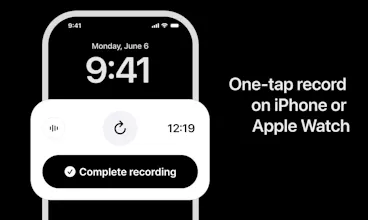
Ellis is an AI notetaker for in-person meetings. Record your meeting, get a clean transcript with each speaker identified, then ask anything — what was decided, what you missed, how it went. No laptop. No extra hardware. Just your iPhone (or Apple Watch).



Free
Launch Team / Built With


Tines The single, secure environment for agents, apps, and automations.
Promoted
How well does the speaker identification hold up when a few people are talking over each other, like in a fast brainstorming session?
@sercanpcke Give it a try! Brainstorming sessions are a perfect use-case
How well does the speaker identification actually hold up when people talk over each other or move around the room, especially in louder spaces like cafes or open offices?
@sabanl51707 So I tested cafes and open offices. That is my main testing ground and it works quite well. But give it a try yourself
Recording doctor visits and therapy sessions puts this app in about the most sensitive bucket there is, so deleting the audio right after transcription is a smart move. The transcript still says everything the audio did, though. I saw Supabase in the stack, are transcripts scoped per user at the database level, or does the app layer do the gatekeeping?
@vollos great point! Users are only able to access their own transcripts, which is enforced by the backend (not only in the client-side app). Curious about trying the app in one of these scenarios, or do you have more thoughts here?
How well does it handle meetings with more than like 6 people talking over each other, especially in a noisy cafe setting?
@birsen338162233 Give it a try. But talking over each other will be difficult in any situation.
How well does the speaker identification actually work in a noisy room with multiple people talking over each other? Curious how it handles real-world chaos versus a quiet conference room.
@boran925180 So real-world chaos is, of course, going to be harder. But typically those are not the most productive meetings nor where you would want to extract valuable information from. Give it a try
Everyone solved Zoom notes, nobody solved the conference-room whiteboard session. In-person is the harder and more valuable problem. How does it handle multiple speakers without per-person mics?
@medal411 There are multiple steps under the hood.
Voice enrollment, which captures voice attributes
Diarization using assembly AI? And finding a best match to your voice
A UI that lets you easily pick and assign speakers
@robingreenwood Thanks for breaking that down — enrollment capturing voice attributes + diarization, then best-match, makes sense. The speaker-assignment UI is the part most tools get wrong, so smart to make that easy. Congrats on the launch!
@medal411 appreciate it!
How well does it handle overlapping speakers or side conversations in a noisy room, and is the transcription actually reliable enough for something like a legal or HR meeting?
@beyzatanrkur6p you can try it for free. I found the combination of speaker diarization and selection works very well.