@aracena It will be good to increment the original time set for a task when you 'add 5 minutes'. that way you know how much time was spent in the end.
other than that, i think it's best to keep it as it is. it's the simplicity that gets the job done here.
Report
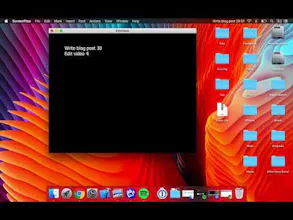
Effortless is really a perfect example of an app where simplicity is key. They've done a great job of only having the features that are absolutely necessary along with an interface that is simple yet clear.
@dantheputzer Daniel let me know what you think!!! thank you
Report
Pros:
Easy to use
Simple UI
Cons:
UI still buggy, I can't add write extra numbers i.e. (get 10 leads 180)
Random white bar in the right-middle side (I presume it's the scroll bar, but it looks off)
Problems appearing on the top bar, might be because I already have so many items up there
Conclusion:
Great app, just fix the bugs
Using macOS 10.12.6
A very easy-to-use app, recommended for those who are often procrastinating. It can accurately measure the difference between actual time and estimated time, and help us reduce the gap between them.
In addition, unlike fixed-time tomato time methods, this one focuses on the completion of one thing, while tomato time focuses more on the efficient use of a fixed period of time. My personal suggestion is to use this app's feedback to develop accurate self-estimates, and then use the Pomodoro Technique.
PS: Especially for MacBook users, the timer will automatically pause when closing the lid, and continuing when opening the lid. This feature can effectively handle temporary interruptions in the work.
Pros:
1. Setting the timer can effectively reflect the accuracy of my own sense of time;
2. The shortcut is very easy to use (Command + E, etc.).
Cons:
With delay (Command+R) or early completion (Command+S), the task list still shows the set time instead of the real time. (As @chandika said)
Hi Leo we are planning to add stats where you will have this kind of report where you can see what time you stimated and what was the real time spent. I would love to show you a prototype and get your freedback can you send me an email at hernanaracenachirinos@gmail.com I would love to send it to you



Creately
HitCal
Creately
Effortless is really a perfect example of an app where simplicity is key. They've done a great job of only having the features that are absolutely necessary along with an interface that is simple yet clear.
Pros:- Simple
- Useful commands
Cons:- None
HitCal
HitCal
HitCal
HitCal
A very easy-to-use app, recommended for those who are often procrastinating. It can accurately measure the difference between actual time and estimated time, and help us reduce the gap between them.
In addition, unlike fixed-time tomato time methods, this one focuses on the completion of one thing, while tomato time focuses more on the efficient use of a fixed period of time. My personal suggestion is to use this app's feedback to develop accurate self-estimates, and then use the Pomodoro Technique.
PS: Especially for MacBook users, the timer will automatically pause when closing the lid, and continuing when opening the lid. This feature can effectively handle temporary interruptions in the work.
Pros:1. Setting the timer can effectively reflect the accuracy of my own sense of time;
2. The shortcut is very easy to use (Command + E, etc.).
Cons:With delay (Command+R) or early completion (Command+S), the task list still shows the set time instead of the real time. (As @chandika said)
HitCal
HitCal
DontRef.Me
Great example of Simplicty. Very simple and super helpful.
Pros:Very Cool and easy to use
Cons:Only supports time in minutes
HitCal