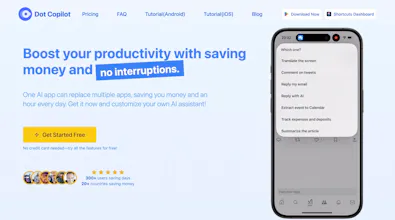
With just a tap, It smartly helps you add events, create to-do lists, reply to messages, translate images and on-screen text, summarize web pages and screen content, and even track your monthly income and expenses with Google Sheets integration.
Reddit Community: https://www.reddit.com/r/dotcopilot
Dot Copilot's Site: https://dotcopilot.ai/
After exploring countless AI assistant apps, I always felt like something was missing. Many of them were either too complicated, too intrusive, or lacked the flexibility to adapt to my needs. I dreamed of creating an assistant that didnβt just fit into my life but actually enhanced it without interruptions or unnecessary complexity. That dream has now become a reality, and Iβm thrilled to introduce Dot Copilotβa simple, intuitive AI assistant designed for Android users.
This project started with a single goal: to create an assistant thatβs better, smarter, and completely non-intrusive. With Dot Copilot, I wanted something that could integrate into daily workflows without taking over or adding distractions. Today, Iβm proud to share it with you.
Why Dot Copilot is Different
Dot Copilot is built on three core principles:
1. Simplicity: Itβs easy to use and doesnβt demand your constant attention. You summon Dot Copilot only when you need it, and it blends into your work without disruptions.
2. Customizability: Everyoneβs needs are different. Thatβs why Dot Copilot allows you to create custom commands tailored to your lifestyle, making it your truly personal assistant.
3. Efficiency: Dot Copilot is designed to save you time. Whether itβs parsing receipts, managing to-do lists, or replying to messages, it handles tasks smoothly and quickly.
What Dot Copilot Can Do
Here are a few things that Dot Copilot can help with:
1. Floating Assistant Button: A floating button gives you instant access without switching apps. Enable it, and Dot Copilot is always a tap away.
2. Screen Content Recognition: Dot Copilot can analyze your screenβwhether itβs a photo, a webpage, or a text messageβand help you take the next step.
3. Parse Receipts into Google Sheets: Snap a picture of your receipt or open it on your screen, and Dot Copilot will organize the data into a neat spreadsheet for expense tracking.
4. Custom Commands: Set up commands like βAdd to my to-doβ or βDraft an emailβ to simplify repetitive tasks. You decide how Dot Copilot works for you.
5. Social Media Engagement: Generate engaging comments for Reddit, LinkedIn, X (Twitter), and Facebook, and get help replying to chats on WhatsApp, Telegram, Line, and more.
Feel free to leave a comment or join Dot Copilot's community to talk with us.
Hey Product Hunt!
Weβre so excited to share Dot Copilot with you today! π Our goal is to simplify your workflow and enhance productivity with smart, AI-powered tools that adapt to your needs. Weβve poured a lot of effort into crafting something that can make a real difference in your daily tasks, and we canβt wait to hear what you think!
Please feel free to ask us any questions or share your feedback β weβre here to chat and eager to improve. Your support means the world to us!
Thank you for checking out Dot Copilot, and we hope it helps you streamline your work like never before!
Cheers,
The Dot Copilot Team
Report
Dot Copilot emerges as a beacon of simplicity and efficiency in the Android AI assistant arena. Its non-intrusive design and customizability cater to individual needs, making it an indispensable tool for managing daily tasks. With features like floating buttons and receipt parsing, it exemplifies personalization and time-saving convenience. Congrats on your launch!
Been testing this for the past day and it's like having a smart assistant that doesn't get in your way. The one-tap calendar event creation is ridiculously smooth - no more app-switching chaos! And the Google Sheets expense tracking? chef's kiss
What really got me is how it handles translations and web page summaries right from the screen - perfect for my research work. The UI is super clean and doesn't interrupt your flow (finally, someone gets it! π).
Small feature request @newbing@smrati_tiwari4: Would love to see some custom keyboard shortcuts in future updates!
@xi_z Which OS you are using? iOS or Android. I will learn more about keyboard shortcuts.
Report
π Plugged in
Haah! This is finally something I need to have a look at! Dear Liu I wish you all the best. I am currently exploring all the AI tools that would help me with this "administrative" work or daily managemant of socials, mail etc. I will be testing it out. I have just downloaded it :-) Wish you all the best with this campaigns.
Dot Copilot
Dot Copilot
Dot Copilot
Chance AI: Curiosity Lens
Dot Copilot
Chance AI: Curiosity Lens
Dot Copilot
Dot Copilot
Dot Copilot