Launching today

DocketHelp
Every document of a court case in one folder, one click
1 follower
Every document of a court case in one folder, one click
1 follower
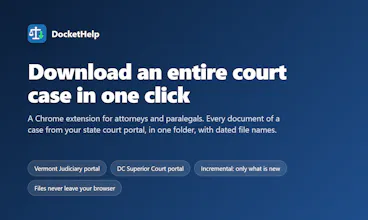
A Chrome extension for attorneys and paralegals on state court portals (Vermont Judiciary, DC Superior Court). Open a case, press Download case, and every document lands in one folder with dated file names. Next time it fetches only what is new.


Free Options
Launch Team

AWS Activate CreditsCredits that fuel your startup’s next milestone
Promoted
Hi Product Hunt, maker here.
I built DocketHelp after watching paralegals spend their afternoons on state court portals: open a docket entry, open the viewer, press Download, rename the file, repeat for every document in the case, then do it again next week to catch what was filed since.
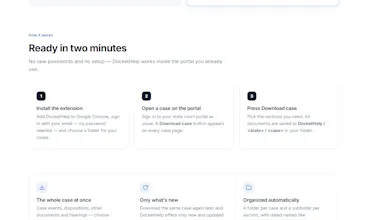
DocketHelp is a Chrome extension that adds one button to the case page. Press it and every document in the register of actions is saved into a folder for that case: a subfolder per section (case events, hearings, dispositions, other documents), file names that start with the filing date so they sort in order, plus a text summary of the docket. Run it again later and it downloads only what is new or was replaced by the court.
A few things I cared about:
• It runs inside your own portal session with your own access level. The PDFs go from the court to your browser to your disk; nothing passes through our servers.
• No new passwords. Sign in with your email, pick a folder once, and you are done.
• It currently supports the Vermont Judiciary portal and the DC Superior Court portal (both run Tyler's Odyssey Portal). More states are on the way, and I would love to hear which ones you need.
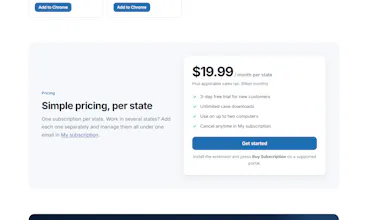
Pricing is $19.99 a month per state with a 3-day free trial, and legal aid organizations get free seats; write to support@dockethelp.net.
Happy to answer anything about how it works or about the File System Access API in Manifest V3, which took more experimenting than the docs suggest.