No reviews yetBe the first to leave a review for Dictro
Maker
📌
Hey Product Hunt 👋
I built Dictro because I wanted a simple way to dictate text without sending private conversations, notes, or documents to the cloud.
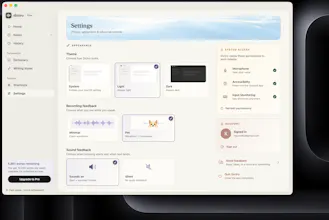
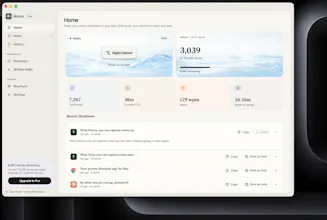
Dictro works offline, keeps everything on your device, and helps turn spoken thoughts into clean, formatted text. You can also view your history and use it without creating an account.
I’m still improving the product, so I’d genuinely love to hear what you think—especially about the speed, accuracy, and overall experience.
Thanks for checking it out!
Report
Tried it for like 10 minutes and honestly the on-device thing is what sold me, feels good knowing nothing's leaving my laptop. Punctuation came out pretty solid too, which is usually where these tools fall apart for me.
Report
Maker
@minabehll3jm8 Thanks for trying it, and you can also capture your transcripitions as notes, which also are complete private and always remain on your mac!
Report
Aestethic design and philosophy, but I'm curious how does this compare to WisperFlow or other similar tools? Perhaps because it's more private? I'd pivot towards that for marketing as many users nowadays crave private apps in the today's sea of AI wrappers and bad vibe coded security. Good luck!
Report
Maker
@vitohackerThank you for trying it, yes you are right, dictro is more for privacy concerned users, please do let me know if you got any other feedback too.
Report
The on-device angle is a smart move for anyone hesitant about sending voice data to the cloud. Love that it just plugs into any Mac app without feeling like another clunky menu bar tool.
Report
Maker
@muammer7fwp Thanks for testing it out.And I'm replying to you using this Dictro only.
Report
Love that it's fully on-device on Apple Silicon, the privacy angle feels handled with real conviction rather than tacked on. Native Mac feel looks right too.
Tried it for like 10 minutes and honestly the on-device thing is what sold me, feels good knowing nothing's leaving my laptop. Punctuation came out pretty solid too, which is usually where these tools fall apart for me.
@minabehll3jm8 Thanks for trying it, and you can also capture your transcripitions as notes, which also are complete private and always remain on your mac!
Aestethic design and philosophy, but I'm curious how does this compare to WisperFlow or other similar tools? Perhaps because it's more private? I'd pivot towards that for marketing as many users nowadays crave private apps in the today's sea of AI wrappers and bad vibe coded security. Good luck!
@vitohackerThank you for trying it, yes you are right, dictro is more for privacy concerned users, please do let me know if you got any other feedback too.
The on-device angle is a smart move for anyone hesitant about sending voice data to the cloud. Love that it just plugs into any Mac app without feeling like another clunky menu bar tool.
@muammer7fwp Thanks for testing it out.And I'm replying to you using this Dictro only.
Love that it's fully on-device on Apple Silicon, the privacy angle feels handled with real conviction rather than tacked on. Native Mac feel looks right too.