
DesktopAudio
Record what your Mac plays. Local files, no cloud.
28 followers
Record what your Mac plays. Local files, no cloud.
28 followers
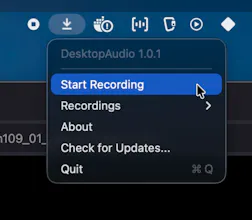
DesktopAudio records whatever your Mac is playing and saves it as an m4a on your Mac. Podcasts, live streams, webinars, calls: if you can hear it, you can keep it. Local always: local recording, local files, no cloud, no account. It never touches your microphone and never asks for mic permission. It's also the missing half of macOS screen recording: Cmd+Shift+5 captures video but no system audio. Run DesktopAudio alongside it and you have both. $19 one-time. No subscription.


Payment Required
Launch Team / Built With


AWS Activate CreditsCredits that fuel your startup’s next milestone
Promoted
Hi Product Hunt! I built DesktopAudio because keeping the audio my Mac plays should be trivial and it isn't. Podcasts, live streams, one-time webinars: if it played through my speakers, I wanted a file I could keep, locally, without a cloud service in the middle.
Funny proof it was needed: while recording the demo video for this launch I hit the classic macOS wall, Cmd+Shift+5 records your screen with zero system audio. So the demo's sound was recorded by DesktopAudio itself, running alongside the screen recorder, and muxed in after.
The principles are simple: local always (local recording, local files, no cloud, no account), never your microphone (it doesn't even ask for the permission), and standard m4a files that are yours to do anything with. $19 once, no subscription.
For the launch: use code KEEPIT30 at checkout for 30% off.
I'd love to hear what you'd use it for, and what's missing. Ask me anything.