A vast, dynamic design system with hundreds of customizable UI components and templates, ready for Framer deployment and meticulously organized with variables, variants and adaptive layouts. Made from decades of pushing pixels.
About three months ago, as a designer who teaches, I thought what if I could create a UI kit that not only taught designers about the ins and outs of modern design systems but also equipped them with a treasure trove of customizable components?
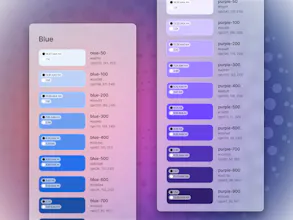
Think of it as your mega toolkit for design. With over 300 components, more than 2,000 Figma variants, and a whopping 2,116 unique icons, it's packed to the brim with everything you need. Plus, it's got Auto Layout and 200+ Variables, all wrapped up in Glass, Outline, and Flat styles. This is decades of my experience as a designer into a single package.
But it's not just about quantity. Design tools have evolved so much that you can basically do your adaptive layout. And this project, with its color and shadow systems, gradients, and spacing systems, not only helps you keep up with the pace of modern design but also guides you in creating designs that are modern, functional, and code-friendly.
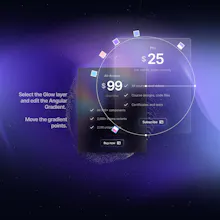
Now, what really sets the DesignCode UI Kit apart is its unique theming. It's got its own distinct vibe, with the background setting the mood, the glass soaking up the colors, and the shadows adding depth. Yet, it's also super flexible. You can switch between light and dark mode, or adjust styles to Glass, Outline, or Flat. Plus, all styles use a blurred layer, perfect for any background, whether it's a desktop or a webpage.
So, that's the DesignCode UI Kit in a nutshell. A tool that lets you create beautiful designs with ease. Can't wait to hear what you think!
It's currently at 50% off!
DesignCode UI