Deep Work Stats

Deep Work Stats

Show your boss how much time you have for real work

4 followers

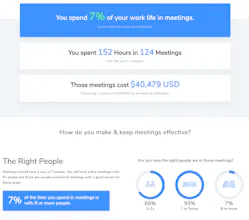
Meet the first app that shows you how much time you have for deep work and shallow work, how much time you spend in meetings, and how you compare to co-workers and globally.
Deep Work Stats gallery image
Launch Team
agent by Firecrawl
agent by Firecrawl
Gather structured data wherever it lives on the web
Promoted

What do you think? …

Ben Fox
Hi everyone! We built this because we had so many days where we didn’t get time to code, were bombarded with meetings, and just couldn’t get time to do real work. And, inspired by the amazing Cal Newport who wrote the book "deep work". Check out an example report here: https://app.shepherd.com/persona...
Nancy Bonsai
@bwb this report is amazing!! I like this... "Deep Work requires a minimum of 90 minutes of uninterrupted time. It is the wide open time you need to do your best work and get in a flow state." Personally I feel that caffeine prohibits my focus time. Herbal tea and headphones are a big help to get that meaningful work done.
Ben Fox
@basicbonsai Thanks :), you might really like the book that inspired this too, it is "deep work" by Cal Newport and is a great read -> https://www.amazon.com/dp/B00X47...
Ken Savage
Nice product Ben. I’d like to know how many people attended my meetings and how long they lasted. Doable with Shepherd?
Ben Fox
@kensavage Yep! We show you a break down by attendee and length plus a lot more! Here is a sample report to check out what it includes: https://app.shepherd.com/persona...
Paul Stengel
Can you summarize your privacy policy/standards? For example, is it possible for me to remove my data from your system or disconnect my calendar?
Ben Fox
@ps10gel You bet! We connect via a read-only connection and only tabulate your calendar’s metadata to generate these stats. You can request your data be removed at anytime and you can also disconnect your calendar on the settings page in the app. The report updates weekly and if you select the weekly email option it sends you a sketch of your upcoming week every Monday to help you get more time for deep work. Your data is never sold or shared with anyone outside of our company.
Craig Watson
This is great! How do you define 'deep work' as I can imagine some meetings (eg personal blocks of time booked on the calendar) could show up as meetings vs available time for deep work?
Ben Fox
@cdcwatson Great q! We define Deep Work as anytime you have a block of 90 minutes of time without meeting interruptions. We only count meetings that have at least 1 other attendee so events with just you don't get counted.
Craig Watson
@bwb cool thanks for clarifying!
Nina
@cdcwatson @bwb what if you use your calendar to block off times for uninterrupted, deep work - i.e. as a signal to peers that you are not available for meetings during that time?
Ben Fox
@cdcwatson @ninau Yep it would only count it as a meeting if there is at least one other person beyond yourself in the meeting who accepted the invite. So it would count as deep work as long as it is just you in that event :)
Nina
@cdcwatson @bwb nice! does it also recognize when you book appointments in your cal (e.g. dentist appt)?
Quentin Gil
Great product ! Quick question: how do you generate the meeting cost stat?
Ben Fox
@quentin_g Yep we have to make some assumptions, we assume that the average salary of all the attendees is $105,000 USD and generate the stats that way.
Nina
@quentin_g @bwb you could have an option for users to *optionally* identify their salary bracket to give more useful stats, e.g. 60-75K, 75-90K etc. if this proves to be statistically significant. I would be curious to see how this may also be used to identify pay inequities, again using optional identifiers.
Ben Fox
@quentin_g @ninau Yep good point, it was also a bit harder as we count not only the primary person's salary but other attendees. So it is a bit of a fun guess either way since we assume that salary for all the other attendees over the past year.
Justin Mazzi
The stats are really insightful. Have you considered adding alerting for thresholds? For example, I might want to know when my meetings are coming close to pushing my focus time below 80%. Or maybe the app can make suggestions on moving/scheduling meetings in the future to keep you within the range you need to get work done.
Ben Fox
@justinmazzi That is a great idea, we will def look at that!! The weekly email tries to do a little of this and we'd like to do more long term. The weekly email tries to visualize your schedule and show you how you could free up some time -> https://shepherd.com/products/me...
Mathieu Guerville
Pros: Slick, highly shareable to drive behavior change on a team Cons: Can be guilt-inducing if you're the meeting scheduling culprit
123
Next
Last