Launching today

Cotypist
Local AI Autocomplete in your voice, anywhere on your Mac
4.5•23 reviews•254 followers
Local AI Autocomplete in your voice, anywhere on your Mac
4.5•23 reviews•254 followers
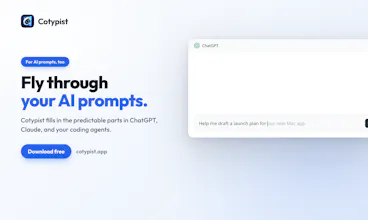
Cotypist is smart autocomplete for the Mac apps you already write in: Mail, Slack, Notes, docs, even AI prompts. Press Tab when a suggestion fits, or keep typing and watch it update in real time. Runs locally on your Mac. No cloud, no API calls.




Love this app on my personal computer. However, my work computer is a Mac with Intel chip and I'm disappointed that Cotypist isn't supported. Really hoping you'll consider a universal release or one that doesn't require silicon.
@adam_tracht Thank you for the feedback! Cotypist's local AI models make heavy use of the high memory bandwidth afforded by Apple Silicon; most Intel Macs simply don’t have enough bandwidth to deliver an acceptable experience. So I have decided not to focus on Intel support at the moment.
My favorite app of 2026, unfortunately ruined by a completely unreasonable pricing model.
Love what you built, but there's no reason this should cost $108/year, especially considering that this app that runs locally on my own hardware and has no recurring costs to the developer, aside from development costs. The price tag of this single app is equivalent to the cost of almost an entire year of Setapp (hundreds of apps) or half a year of ChatGPT / Claude. The pricing tiers are also completely unjustified, with features such as per-app settings + best LOCAL model locked behind the highest tier to force users towards the most expensive option.
This would've been acceptable if it was a pay-once for one year of updates instead of a yearly subscription, perhaps with a varying price based on device count.
I went from being a happy user that was willing to pay a premium pricing and would recommend it to friends, to actively encouraging people to avoid this. If it's starting at such unreasonable prices, you can only imagine where this price is headed 1~2 years from now.
Pricing of an app should not be solely based on how much time a developer has put into it, but on the value it provides to users. Cotypist is definitely not a $108/year app, as great as it is.
It has been a great product so far. It’s quite unfortunate that they are limiting their early believers now with the paid plans. People will just go somewhere else or build their own or someone will make an OSS one and monetize another way. Eventually Apple / Windows will just include this as a native feature, they haven’t because not all their devices are compatible yet, but they will. Good luck on the journey forward and I hope that us the early users that liked it becuse it was free continue to stick around, otherwise we’ll feel unfair / used. Like we were writing tickets and helping the product and got nothing back and now we have to pay, when we can have that value for free. The thing is, the amount of value (as compared to alternatives) you create and the amount value you want to capture are off. You could sell it like those niche OSX Apps where they sell a lifetime license for less than 50, and thats already a lot.
I've been a beta tester for Cotypist for a few months, and I'm now a subscriber. It's beautifully executed and works great. The elevator pitch ("autocomplete, but with AI!" -- my words, not the dev's) really doesn't do it justice.
There are a few things about Cotypist that aren't obvious until you actually use it for a while. First, it works pretty much everywhere you can type text on your Mac. That includes browsers, editors, email clients, etc. It's always there, always unobtrusive, always seamless. Second, it’s not just super-autocomplete. It's a full-fledged AI model that runs locally on your Mac and maintains context. I work on a lot of different projects, and Cotypist is eerily good at switching around with me. It remembers things. It reads your screen (if you allow that, which I highly recommend) and adapts itself to your workflow.
It's not a writing assistant, although I suppose you can use it that way. It doesn't suggest what it thinks you should type so much as it infers what you're actually doing and tries to facilitate what you were going to type anyway.
This is the future of AI: unobtrusive, lightning-fast, and not trying too hard to take over or "help."
I’ve been using Cotypist for a few weeks now. Congratulations on the launch! I agree with others that it feels a bit pricey for the current product and the current feature set. I got the Pro (annual) subscription, hoping for more development and added features. I likely won't renew next year if the product doesn't improve significantly. I think, for me, the Pro subscription will be worth it if it can replace Grammarly and a dictation/transcribing tool like Meetily, Whisper, etc. - I think they all use the same models under the hood.
Also, I want to echo the comment about the lifetime subscription posted above.
And lastly, I feel like people who had been using Cotypist before the launch should have been offered more than just a three-month extension on the (currently) overpriced Pro subscription. These are the people who helped make the product what it is now.
Thank you!
I’ve been looking for something like Cotypist for years, and I couldn’t be happier with the app Daniel built. This is what I needed, and then some. And this is just the beginning! I’m excited to see what else this app can do further down the road. I’m using the app on two Macs, an M1 with 16GB, and an M4 with 32GB. No problems, no lag. One more thing: I’m using the ; key to accept completions. For a touch typist, that’s the fastest method.
@tvdster Thank you for the kind words, and for the early support! I have lots of ideas on where to take Cotypist next, and am glad to have you along for the ride!
Also, happy to hear that Cotypist is working well even on an M1 Mac. In terms of your completion key, where is ; located on your keyboard (this varies depending on the keyboard layout)? I personally am using the key above the Tab key, but I could imagine that a rarely-used key in the bottom right corner of the keyboard could also be a great option to hit with your pinky finger.
@daniel_a_a It's the international keyboard layout, so the ; key is next to the L key. That means I don’t have to lift my hands, just press the ; key with my right pinky finger.