
ControllerKeys
Turn your game controller into a Mac productivity device
9 followers
Turn your game controller into a Mac productivity device
9 followers
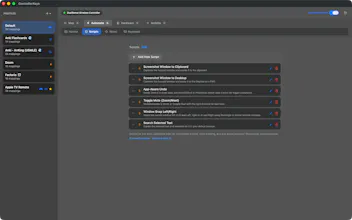
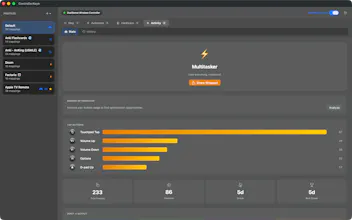
Transform your Xbox, PS5 DualSense, PS4 DualShock 4, Steam Controller, Nintendo Joy-Con, Apple TV Siri Remote, 8BitDo Zero 2 & Micro, or 300+ third-party controllers into a powerful macOS productivity tool. JavaScript scripting engine, gyroscope aiming, swipe typing, GTA-style command wheel, macros, webhooks, app-specific profiles, Mac-to-Mac controller handoff, and on-screen keyboard. Perfect for vibe coding with Claude Code, Cursor, or Copilot. Source available, signed & notarized by Apple.




Finally something that makes my DualSense feel useful on macOS beyond games. The swipe typing with the gyroscope is genuinely fun, and the app-specific profiles actually work without constant fiddling.
@bilalrpcd Thank you Bilal! Turning the Dualsense into something for productive for macOS was my goal. The Dualsense controller was some really nice hardware with its touchpad, gyroscope—just waiting to be harnessed.
Also, I’m glad to hear the app-specific profiles are working smoothly for you. I’m wondering if you’ve found any apps that you’ve come to find you really like using with a controller? Would love to hear what you’ve been doing with ControllerKeys.
Also there is a community profiles library on the GitHub if you’d be willing to contribute some of your favorite profiles.
Oura Ring support is in the works right now! Use your Oura Ring to control the mouse, click, and activate various hotkeys on Mac—
The tap to click gesture is pretty neat! There is some ML happening under the hood to detect gestures from accelerometer data.
If you have an Apple TV Remote, ControllerKeys can turn it into a mouse! Point and click—you can even circle your finger on the wheel to scroll like a classic iPod.
I really wanted this iPod-like circle to scroll to exist on some modern hardware!