
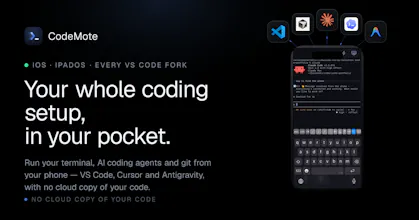
CodeMote pairs your iPhone to your machine or VPS and gives you the real sessions. Live terminal on your lock screen, push when your agent needs approval, full diffs, complete git flow. Direct encrypted connection. Your code never touches our servers.



the lock-screen 'flips to waiting + push' is the real product. hard part is knowing when NOT to ping. does it batch approvals, or one buzz per stop?
CodeMote
@andrewzakonov Batches per-terminal: one buzz when a terminal goes idle/needs approval, not per stop, and it's suppressed entirely while you're in the app, so you only get pinged for sessions you're not already watching.
Dial
the "start claude code, wait 20 minutes, answer one question" loop is real, i lose so much time just standing near my desk in case it needs an approval. no relay server touching the code is the right call, that's the one thing that would've made me not even try it. genuinely curious about approving a plan from the lock screen though, do you get enough of the diff to actually judge it or is it more of a glance and trust situation when you're not at a full screen
CodeMote
@omri_ben_shoham1 hey Omri! thanks for the question.
Right now you can't approve from the lock screen, right now the lock screen activity is only a streaming of what the agent does, to actually approve, clicking the activity, you'll go in the agents and have a full picture of what it has done. and once you are in the app, you have full access to all the file changes, everything your agents has done so far.
this is the exact flow you would do on your laptop
Dial
makes sense, that's actually the safer default. glancing at a lock screen notification and blind-approving would be worse than being forced to open the app and see the real diff. good to know the two are intentionally separated
Driving CLI agents from a phone makes sense if the workflow is approval-first, not blind autonomy. The best version of this is probably checkpoints, logs, and one-tap continue/stop decisions while the heavy work stays on the Mac.
CodeMote
@krekeltronics Exactly our thesis. CodeMote isn't remote-desktop-for-agents.. the heavy work stays on your Mac, the phone is just a controller.
That means:
Checkpoints, not blind autonomy: you see the agent's state (running / waiting on you) and approve permission prompts from your phone.
One-tap continue/stop: Live Activities + push tell you the moment an agent is waiting, so you decide from the lock screen instead of checking every time the app.
Logs you can actually read : live terminal streaming + scrollback, so a decision is always backed by context, not a guess.
Approval-first is the whole point. The Mac does the work; CodeMote let's you control it from your phone
Keeping the code on your own machine is the part that matters. Remote coding from a phone sounds much safer when it works like a control layer for your existing workstation, not another place where the repo gets copied.
CodeMote
@farrukh_butt1 Exacly, codemote is just the controller, not the brain, everything stay safe inside your laptop/server, you just extend the way you are using it
Dial
this is the thing I actually want, I keep starting a session then getting pulled away before it needs the next approval. one thing I'd be careful about is approving a big diff from a 6 inch screen while distracted, it's easy to skim and tap approve on something you'd catch immediately on a real monitor. do you have any friction built in for large or risky-looking diffs, like forcing a scroll through the whole thing before the approve button unlocks, versus treating every approval the same regardless of size
CodeMote
@galdayan thanks for the comment Gal!
in my personal experience i didn’t find any problem reviewing on my iphone, but i’m used to since im a heavily user nowadays! but for a person who’s just starting to use it can be weird the first few times, but then you develop more experience .
but what you have suggested can be really good 😄
Dial
@castedev makes sense, muscle memory probably does most of the work once you're used to it. i'll probably end up the same way after a few weeks. good luck with the launch
CodeMote
@galdayan Thanks Gal! btw i would love a feedback by a smart person like you, could help me improve the app a lot
Dial
happy to give real feedback since you asked. one thing i'd want before trusting an approval from a lock screen notification: some way to see the actual diff or command being run, not just the question text. right now it sounds like you approve based on the agent's phrasing alone, and that's the exact moment a subtle bad command would slip through. even a truncated diff preview on the live activity card would go a long way for the higher-stakes approvals
The "start agent, wait 20 minutes, answer one question" loop is exactly my day building a SaaS solo. One thing I'd want: when the agent asks something that needs actual code reading to answer well, do you find the phone diff view is enough, or do those decisions still wait for the desk?
CodeMote
@kojimajunya hey thanks for the question! nowdays i’m used to review diff on my phone, but for a new user can be tricky, but trust me you’ll get used too :)
Finally tried it on my VPS and the lock screen terminal blew me away, actually usable for quick checks. The encrypted direct connection is a nice touch too.
CodeMote
@poyraz860407 Thanks Poyraz! I wanted it to be 1:1 and your things stays yours!