
CloudPrompt
Save & reuse AI prompts anywhere — in your Google Drive
5 followers
Save & reuse AI prompts anywhere — in your Google Drive
5 followers
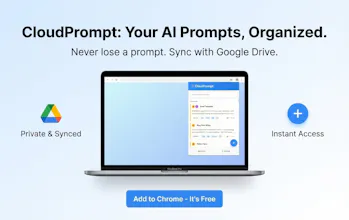
CloudPrompt is a privacy-first Chrome extension to save, organize, and instantly insert your best AI prompts across ChatGPT, Claude, Gemini, and any site. Stored in your Google Drive. Open anywhere with Ctrl+Shift+Y.




Is it free? What’s the business model?
@leox_vx Hello,
Core features are free. The plan is to keep the free product genuinely useful and later add optional premium features. For now we’re focused on feedback and polish.
Congrats, but how does this differ from AIPRM?
@new_user___0062026ebd4fae4cccee79b
Key differences:
- FREE (vs $5-50/month)
- YOUR data in YOUR Google Drive (vs their servers)
I built this because AIPRM didn't solve MY problem. If you use multiple AI tools AND care about privacy, try CloudPrompt.
CloudPrompt 1.1.0
Context-aware prompts and support for Edge + Comet
CloudPrompt now detects the AI platform you’re using and shows the most relevant prompts first. Plus, it now works on Microsoft Edge and Comet by Perplexity, alongside Chrome. Free forever and privacy-first.
We built CloudPrompt for people who don’t stay in one AI tool all day.
A lot of users switch between ChatGPT, Claude, Gemini, and MS Copilot depending on the task. The problem is that prompt libraries often treat all prompts the same, even when they’re clearly tied to different tools and workflows.
In v1.1.0, CloudPrompt now detects the platform you’re on and surfaces the most relevant prompts first. Press Ctrl+Shift+Y in the tool you’re using, and the right prompts are easier to reach.
We also expanded browser support beyond Chrome, so CloudPrompt now works on Microsoft Edge and Comet by Perplexity too.
CloudPrompt is still free forever and privacy-first.
Would love your feedback on what we should improve next.