
Clipto
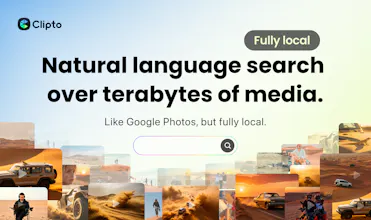
Fully local, natural language search over terabytes of media
846 followers
Fully local, natural language search over terabytes of media
846 followers
Like Google Photos, but fully local. Turn the terabytes of video, audio, meetings, and files you work with into searchable memories, without uploading anything to the cloud. Clipto automatically tags people, dialogue, and scenes, so you can instantly find any moment buried in your media just by describing what you're looking for. It's fast too: on a MacBook Pro M5, Clipto indexed 2TB of videos in just 24 hours.



YouMind
This is genuinely impressive — local-first AI search for video is something I didn't know I needed until now. The desert story really sold it for me.
Quick question: does Clipto index audio content like podcast recordings or interview transcripts the same way it handles video footage? I have hundreds of hours of recorded interviews and this could be a total game-changer for my workflow.
Clipto
@jaredl Absolutely. Video gets most of the attention, but Clipto works with audio just as well.
Podcasts, interviews, meetings, voice recordings, and other audio files are all indexed and made searchable. You can search across transcripts using natural language and jump directly to the relevant moments.
In fact, if you’re sitting on hundreds of hours of recorded interviews, that’s one of the strongest use cases for Clipto. Those recordings often contain valuable insights that are almost impossible to rediscover later without a system like this.
We’d love to hear how you’re currently managing and searching those interviews today.
Gro
Does the natural language search support complex scene descriptions? Like, can I search for 'man running in the rain at night' across all my unorganized clips?
Clipto
@lily_liu8 Yes, you can search that way. Clipto is designed to understand scene-level descriptions. It can recognize people, dialogue, actions, scenes, objects, and so on in your footage, and automatically tag them during indexing. So a query like “man running in the rain at night” is a good example of how you can search across messy, unorganized clips without tagging everything manually first. I’d definitely suggest trying a few real phrases from your own footage:)
Clipto
Hi Product Hunt! I’m Henry, founder of Clipto.
Clipto gives you the ability to search in natural language over terabytes of media in seconds.
Think: Google Photos, but fully local.
During my 20 years ago at CMU’s Robotics Institute, I became obsessed with memory systems: what if computers could actually remember what they’ve seen?
I trained robots to memorize millions of product images crawled from the Amazon catalog (the standard back then was to index 100s of images at a time), and discovered that they could use that memory to recognize almost anything they encountered!
By pushing computers beyond their conventional limits, I had unlocked an explosion in machine intelligence.
Years later, the problem has become personal.
Our computers are full of valuable raw footage, interviews, recordings, and more, but most of that data is still painfully hard to search, revisit, or reuse. We are data-rich, but knowledge-poor.
That’s why I built Clipto. Clipto helps you find what matters inside terabytes of video, audio, meetings, and files, instantly, turning hours of repetitive work into seconds.
Find the wide drone shot where the cars enter frame.
Find the shot specifically in the moment the sandstorm arrives from hours of footage.
And find what you know is in there, without suffering through hours of scrubbing.
Clipto's memory system live where your data already is: on your device, under your control, available anytime, even offline — so you can keep working wherever and whenever inspiration strikes.
After two years of compressing, optimizing, distilling and orchestrating AI models to run entirely on-device, we are ready to share it with the Product Hunt community.
It’s still early, and it’s still compute-heavy. Right now, Clipto works best on higher-performance Apple Silicon Macs (M1 Pro/Max/Ultra and newer) with 24GB+ RAM. If you have a compatible Mac, we’d love for you to try it.
To celebrate our launch, we're offering 1 month free to anyone who signs up this week with code PHLNCH.
I’ll be here in the comments all day and would genuinely love to hear about the strategies you've developed to find your content diamonds in your digital rough.
I’m a YouTuber and managing b-roll is my biggest nightmare. Does Clipto allow for tagging, or is it all AI-based search?
Clipto
@song_kirby Totally feel you. Managing B-roll was my personal nightmare back when I was creating videos. It's actually one of the core reasons we built Clipto. It automatically analyzes and tags your footage across multiple dimensions — shot type, people, actions, dialogue, expressions, subjects and more. All AI, zero manual work. Your B-roll will become a fully searchable library.
And what makes it really special — at least for me personally — is this: when you're deep in an edit, you often need that one specific detail to nail the emotional continuity, the storytelling flow, or the movement between cuts. Something you half-remember from the shoot, or honestly didn't even notice you'd captured. Just describe it in plain language, and you'll find exactly what you need in seconds.
Hope Clipto will help you a lot:)
LobeHub
Just downloaded the Mac app—the UI is surprisingly clean for a local AI tool. How many languages does the transcription support currently?
Clipto
@amazing_1 Thanks, really glad you like the UI. We currently support transcription in 99+ languages, so it should work well for multilingual audio and video content across different workflows
Interesting. Local-first stops being a privacy story the second you can find a clip on your own drive faster than you'd find it in cloud storage. Question - what happens to the index when I rename or move a file in Finder after indexing? Does Clipto watch the filesystem?
Clipto
@artstavenka1 Great question.
Yes, Clipto watches the local filesystem and keeps the index in sync.
If you rename or move a file after it’s been indexed, Clipto will detect the change and update its references automatically, so the media doesn’t need to be re-indexed from scratch.
The heavy lifting (transcripts, visual understanding, embeddings, etc.) is already done, so we’re simply updating the file mapping rather than reprocessing the entire asset.
We designed it this way because media libraries are constantly evolving. People reorganize folders, rename projects, move files between drives, and we don’t want that to break search. Local-first only works if the index evolves with your library.
Clipto
@kjlis Great questions!
For dialogue search, we support 100+ languages through our speech recognition pipeline, including English, French, Italian, Spanish, Japanese, Chinese, and many others. As long as the language is supported by the underlying ASR models, the dialogue becomes searchable. Accuracy can vary by language, audio quality, accents, and recording conditions, but we’ve found it works very well across most major languages.
For compound queries, yes. We don’t treat search as simple keyword matching. We use semantic retrieval and reranking to understand the intent behind a query. For something like:
“Find clips that contain both X and Y”
clips matching both concepts would typically rank highest, while clips matching only X or only Y may still appear further down the results if they are semantically relevant. In practice, the system tries to optimize for the user’s intent rather than applying strict boolean logic.
We’d love to hear more about the workflows you’re thinking about. This is an area we’re actively improving.