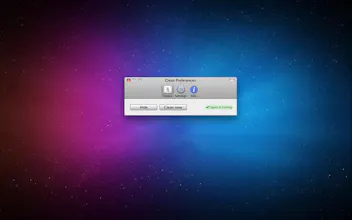
Clean your desktop with one click or set it to clean automatically every day. Features: * Clean desktop manually * Start agent and just enjoy nice, cleaned desktop * Group files into folders by month, or by day * Setup how often you want your desktop cleaned (every day or every week)
Interesting idea. I just delete files that have been on my desktop for several days, because if they were actually important I would have dealt with them. Mostly screenshots anyway!
Report
@lachlanjc You can actually change your default screenshots location: https://discussions.apple.com/do.... I found this a couple of months ago, and my desktop has never been tidier!
Hey guys, I wrote Clean just for fun back in the day. So funny its icon is default wallpaper X version ago.
Anyway, I didn't bother with update expecting Sandboxing not allowing it do what it does in a user friendly way. I need to automatically move items from Desktop to a location in filesystem. I think sandbox would annoy users with open dialogs and I'm not even sure a path can be allowed permanently.
Otherwise I would update it in a heartbeat - it's a day of work and I just learned you can make a bit of cash with a simple text ad. (Have those in my new free app - Pomodoro One).
Anyway thanks for all the upvotes and drop me a line if you wanna chat.
i've been using this for over 2 years, it's the best app ever, basically runs a super simple automator script, and thats why there is no need for an update. It's genius. Simple but so powerful. keeps track of my days, all the stuff I work on that doesn't get organized or has somewhere to live, simply gets archived by folders with month and date on them, then backedup wirelessly onto my main local storage + DB. Always a blank desktop every morning, so damn Zenlike
Dear Product Hunters, The product Declutter, which we had for three years in our website now has come to MacAppStore. Declutter cleans your mac desktop and organises the files using smart folders. Kindly try it out and let us know your comments. https://www.producthunt.com/tech...
Report
I thought this sound familiar... I already have the app but had forgotten about it. It seems I disabled the app after last clearing eleven months ago. I think the reason I stopped clearing was because I could not prevent specific files or folder from being cleared, but I see I can do that by tagging them.... I need to learn how to tag files properly!
Watershed
Reflect
BedtimeStory.ai
Visor
Pepul