
Chronoid
Automatic time tracking & productivity for macos
99 followers
Automatic time tracking & productivity for macos
99 followers
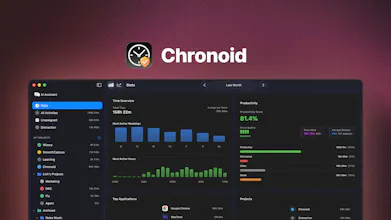
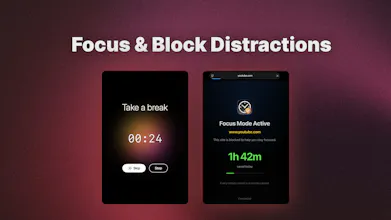
AI-powered time tracking for macOS with Pomodoro, website blocking, and deep productivity analytics. Privacy-first and fully local.

Smooth Capture
Okay this app is something else!
Apps like these are so rare! No subscription just one time purchase? That is very noble and appreciated. Then i found out its made by a single developer which honestly is amazing. The design is just great! Ive been looking for a time tracking app that actually tracks time in your browser as people are usually working in browser yet the developers of other apps tend to forget that. However this one tracks browsers aswell! Finally! And the automatic rules that you can set up are honestly such a great feature.
This app checks everything I need: Great design, not too complicated, great functionality (rules, local LLM and more), STABLE! Tracks everything you want and ignore everything you set to ignore.
I was tracking my billable hours by going into the browser history but not anymore. Finally a solution for me that looks great. Thank you @vunguyentuan for the great work and the great design. I hope this gets more traction.
Just joined product hunt solely to comment on this. I purchased Chronoid about a week ago now. It is an astonishingly good product. Easy to use. Stable. There when you want to see it working, happily disappearing into the background when you don't. Connecting it with an AI to help it provide context to what i was doing was a breeze. Then this morning i got an email saying that coding started in April this year and was coded by just one developer. What the sh$&(!?!?!?!? I thought this app was made by a software development company with teams of developers and marketing people and admin staff and all that. That's the quality of the product.
This developer will go far. Chronoid is an amazing product, I'm excited to see what is next.
Smooth Capture
@aaron_lowndes I literally cried when I read this. Thank you so much for this comment. This gave me hope and courage to keep moving on. Chronoid will go far, I promise. There are a ton of features that I want to add in to make the app become your trusty time tracker and beyond that
@aaron_lowndes I feel the same when use the product. So premium app with good price.
I've been using Chronoid basically since day one. Maybe I am even one of the very first adopters... :)
The app is brilliant.
Only few apps can track the time automatically. I mean - fully automatically. Most of them claim they can do it but you end up with an app where you have to input most of the things manually.
Chronoid track really everything - every file opened, every website visited, all automatic.
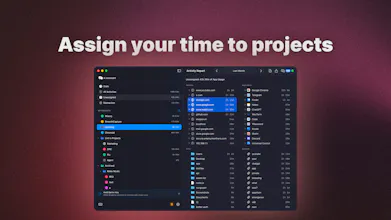
Setting up rules is easy - you just Option-drag the file onto the project and that's it. The next time you open it it will be assigned automatically.
You can customize the app to your liking with project colours, rules, web blockers...
As a graphic designer working on many different projects each month, I need to know exactly how much time I spent on each of these project. Without having to track everything manually. Thanks to Chronoid I can focus on my work.
But the best part is the developer - Mr. Vu
is open to all the suggestions and recommendations since the very beginning. I asked for example for the global keyboard shortcuts and like a week later there were all there. Project and subprojects customization - three days later it's there.
This is something you hardly see these days.
Did I mention that there is no subscription? Well, there really isn't. Which is also rare nowadays. And the app is very fairly priced, by the way.
Thank you very much Mr. Vu for your brilliant work!
David
Smooth Capture
@david_bauer_7 Hi David, just want to say thanks for all your support, keep suggesting new features. I think you have a very good sense of product. I like every single suggestion from you.
Disclaimer: I received the app for free
Chronoid is one of those apps that will subtly change how you work. Similar to a calorie tracker, you will make small changes just because it is recorded. Seeing how much time I waste was a wake up call. The ability to add custom Projects and assign apps (even specific web pages based on filters) to them makes it easy to see a high level view of what you’re working on without having to manually assign your time.
Give this app a test run, you’ll be surprised where your time goes!
Smooth Capture
@codyf Thank you so much, Cody. I am glad that you love the app. Don’t hesitate to share your suggestions with me. Cheer!!
Smooth Capture
@scottwilk Thank you so much Scott
Been using Chronoid for a few months now and it's been fantastic! Vu is really responsive to feedback and clearly has a vision for his project but is also not scared of making changes based on community feedback. This is a refreshing experience compared to most software development at the moment.
Now is a great time to buy and support Vu and help create one of the best time tracking applications out there!