Chronicle combines AI generation with powerful editing to create stunning presentations. Start from a prompt, notes, or raw idea and generate beautiful, on-brand slides in minutes. Edit with full control and export to PPT, PDF, or any format. No design skills required.
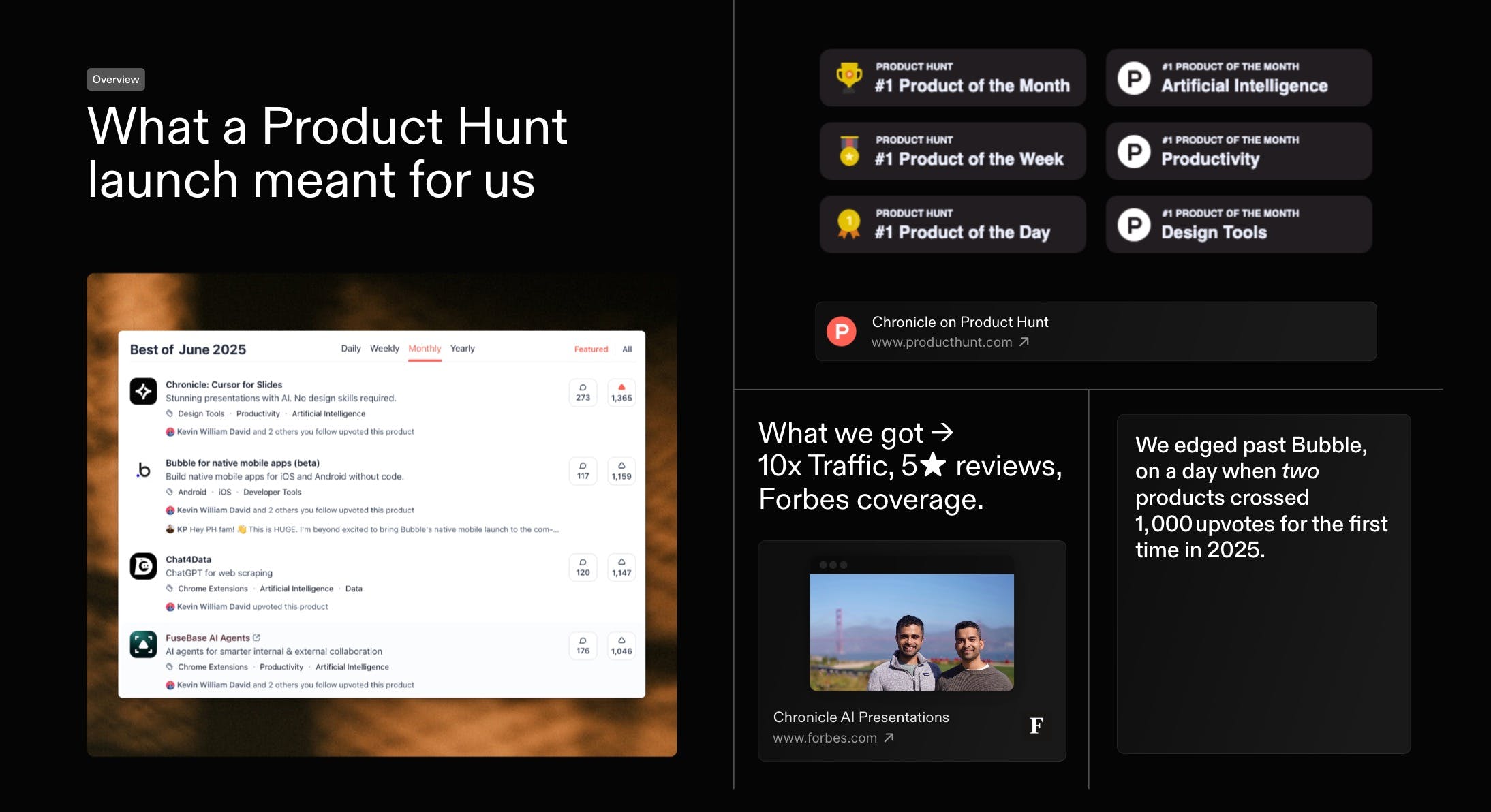
First, thank you. Everyone who voted, commented, or tried Chronicle. You helped us with a #1 finish in our first official launch on the same day Bubble also crossed 1000 votes. Massive gratitude
As a first-time founder, this was a special day. I would love to share what we've learnt. And would love to hear how we can do better, both in growing Chronicle and in improving the product itself.
Last month we kicked things off with a high-level recap of our Product of the Month launch - and you had so many questions that we went back to document every tactic in full. Today, here s the in-depth playbook: the exact strategies, experiments, and community-powered tests that took Chronicle to #1 on Product Hunt and over 1,000 upvotes within 24 hours.
Reviewers mostly praise Chronicle for making presentation creation fast, polished, and easier to structure from rough notes or bullet points, with many highlighting strong design taste, smooth storytelling, and helpful AI-assisted layout changes. Several say it improves pitching and internal alignment, and a founder from KREV similarly describes it as a faster, more modern alternative to traditional slide tools. Still, some users report real limits: glitchy generation, poor mobile performance, restricted sharing, weak image generation, missing templates, and export options that feel too narrow.
+17
Summarized with AI
Pros
Cons
Reviews
All Reviews
Most Informative
Pros
AI workflows (6)
design quality (6)
fast presentation creation (5)
visual presentation (4)
storytelling focus (3)
template availability (3)
collaborative features (2)
ease of use (2)
free tier (2)
Cons
image generation issues (2)
No reviews yetBe the first to leave a review for Chronicle