
ChatSpread
Run one prompt across AIs. Cross-review. Combine.
35 followers
Run one prompt across AIs. Cross-review. Combine.
35 followers
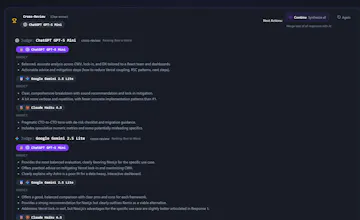
ChatSpread runs a single prompt across multiple AIs side-by-side. Then Cross Review makes the models vote (with reasons) on the best response, and Combine merges the best parts into one clean final answer.



Free Options
Launch Team / Built With


Dropbox SignSimple, secure eSignatures for the way your team works.
Promoted
@harsh_singh89 harsh_singh89 Cross-Review + Combine is a smart antidote to tab-hopping.
At scale the pain is cost/latency + judge bias (majority vote can confidently pick the wrong “best” answer) + keeping user prompts private.
Best-practice is pairwise ranking w/ an LLM “jury” + cached runs + traceable scoring; Q: is Cross-Review a jury of judges with deterministic criteria, and do you let users pin weighting by task (debugging vs copy vs research)? 🔥
@ryan_thill Exactly , Cross-Review is basically “pick your jury.” The models you select generate answers and vote, with model names hidden so it’s anonymous.
We also weight the votes based on each model’s strengths, and we’re planning task presets so “best” changes depending on what you’re doing (debugging vs copy vs research). Appreciate the thoughtful callout 🙌
Love this. Even I'm a tired user of tab hopping between different LLM's myself. The cross review voting + merge feature are clever, saves manual time comparing and summarization.
Feedback (UI): When I entered a prompt and saw all the model answers, I thought that was it. Only after scrolling down did I realize there was a cross Review button. Since CR/Merge are the core features here, they should be way more visible at the top.
@iamrajanrk Great catch Rajan , thank you. We definitely need to surface Cross Review/Combine more aggressively at the top. Quick Q: would you prefer a sticky bar (“Cross Review” + “Combine”) or an auto prompt after results like “Next step: Cross Review”? Either way, we are fixing this asap.
@harsh_singh89 I'd go for sticky bar. It keeps the flow natural, it's always there as a reminder without being pushy. Plus it gives control to users. Again, it's my opinion. Hope it helps!
@iamrajanrk we fixed it!
@harsh_singh89 Nice, sticky bar is the right call. It looks clear and smooth now, appreciate you for fixing it so quick. Exploring ChatSpread now!
@iamrajanrk Amazing, thank you Rajan 🙌 You basically helped us improve onboarding in real time If you spot anything else that slows you down , drop it here , I’ll prioritize it.
@harsh_singh89 Sure man, happy to help. Cheers!
Congrats on launching @harsh_singh89 ! The cross-review + combine flow is super interesting. Question: are you seeing people use this more for confidence (best answer) or divergence (different angles) when prompting?
@harkirat_singh3777
Hey Harkirat , thank you!
We’re seeing both, depending on the task.
Confidence: when someone wants the best single answer fast (and the “why”), especially for copy, specs/PRDs, and debugging.
Divergence: when they want multiple angles / tradeoffs (product strategy, architecture choices, positioning). Cross-Review is great here because it surfaces what each model missed.
In practice it often starts as divergence → then Combine to ship one clean final answer.
With each LLM having it's own upside and personality, it gets harder to decide which one to depend on. ChatSpread has made it easier for me to research and analyse technical documentations as a Product Manager. Do checkout the Image generation which is definitely fun and efficient this way.
@ChatSpread do you guys have plans to allow TP integrations? Meeting apps etc?
@psin Thanks a ton — love hearing the PM/research use-case 🙌
And yes integrations are on the roadmap. We’re planning a “bring your own context” layer: Chrome extension + Notion/Google Docs/Slack, and then meeting notes (Zoom/Meet → transcript → run across models → cross-review → combine).
Congratulations to the team on a successful launch!
@rahul_aluri
Hey Rahul , thank you! 🙌
If you’re curious: ChatSpread lets you run the same prompt across multiple AIs side-by-side, then Cross-Review + Combine into one best answer. Would love any feedback if you try it.
I have been using this for my GTM work like company research where I can cross reference the data and also for writing personalized cold outreach email to execs. don't have to do the hopping between and copy pasting same prompt or giving lot of context everytime and output is the best of all the worlds
@elias_shaik Love this 🙌 GTM + company research + cold outreach is exactly the workflow I had in mind when building ChatSpread. “No more tab hopping / re-pasting context” is the goal. If you ever want, I can add a couple GTM templates (ICP research / personalized opener / objection handling) right inside the app.