
CapturedIt
Capture once. Use everywhere.
11 followers
Capture once. Use everywhere.
11 followers
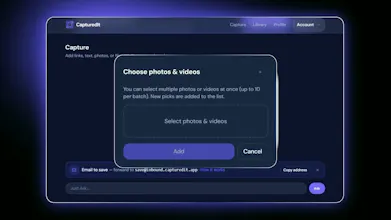
CapturedIt is the AI bookmark manager that captures links, notes, screenshots, files, and voice memos — then makes them searchable and usable in ChatGPT, Claude, and Cursor. Free Starter plan. macOS desktop app and official SDKs now available.
Free Options
Launch Team / Built With


Love the idea of pushing captures straight into Cursor and Claude, that's the missing piece for me. One thing I'd love is a way to tag snippets as "project specific" so I can scope what context gets sent to the AI, otherwise it pulls in a lot of unrelated stuff from months ago.
@utku1011889 Thanks — glad Cursor/Claude clicked. For project-scoped context, use categories: create one for the project, tag captures as you go, then search or pull context with that project in mind so you’re not dragging in months of unrelated stuff.
Capture isn’t screenshot-only either — notes, paste, and text selection work across web, extensions, mobile, and desktop (plus links, email, and voice → text), and categories keep that library organized for AI. Exactly the workflow you’re describing.
Finally a bookmark manager that pulls screenshots and voice memos into the same searchable pile, and the ChatGPT integration actually pulled up a recipe I saved weeks ago without me digging. Worth a look.
@ayferrlhu Love this — “same searchable pile” is the whole point, and hearing ChatGPT surface that recipe weeks later is the win we build for. Appreciate you trying it and sharing.
Love that the SDKs were ready at launch instead of being a "coming soon" roadmap promise. The fact that it pipes straight into Cursor and Claude without a clunky export step feels like it was built by people who actually use these tools day to day.
The voice memo capture works surprisingly well, and feeding everything straight into Cursor has actually changed how I keep notes while coding. Solid macOS app too, feels native and quick.
Finally a way to dump everything into one place and actually find it later through my AI tools. The voice memo capture is surprisingly handy for capturing thoughts while coding.
the way it dumps voice memos and screenshots into the same searchable stream feels really well thought out, basically one inbox for everything you save
@bedirhanoz99730 - Thanks Bedirhan! That was exactly the experience I was hoping to create.
Most of us don't think in terms of "where" we saved something—we just remember that we saw it somewhere. CapturedIt is designed to let you capture whatever matters (voice memos, screenshots, documents, emails, AI chats, web pages, and more) and then simply ask for it later, without worrying about folders or file names.
I'd love to hear how you'd use it day to day. Is there anything you capture regularly that you'd want to throw into the same searchable memory and use it wherever you connect?