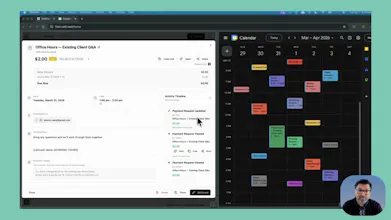
Cal2Cash adds smart payment links to Google Calendar events so service professionals can get paid from the meeting itself ā with amounts that auto-update when sessions change, and automations that handle discounts, late fees, and reminders.
No reviews yetBe the first to leave a review for Cal2Cash
Tines The single, secure environment for agents, apps, and automations.
Promoted
Maker
š
Hey Product Hunt š
I'm Bhavin ā I built Cal2Cash after noticing the same thing over and over while consulting through SaaS Repair Shop.
People who sell their time ā coaches, consultants, tutors, therapists, trainers ā are great at their work. But getting paid after the meeting is still a manual mess. Invoice goes out late. Amount needs to change because the session ran long. Client can't find the payment link. Reminder doesn't go out.
The work happened. The calendar knows it happened. The payment is still disconnected.
So I built Cal2Cash to put the checkout link directly inside the calendar event. Not a separate tool. Not a follow-up email. Right there in the invite your client already has ā with amounts that auto-update, discounts that expire automatically, and late fees that apply without you lifting a finger.
Think of your calendar as your store. Cal2Cash gives it a checkout.
Today I'm specifically looking for feedback on:
- Whether the calendar-native approach resonates with how you actually work
- What would make this a no-brainer for your workflow (or what's still missing)
- Edge cases I may not have built for yet (packages, retainers, and split payments are the honest gaps right now)
Happy to answer anything. Thanks for checking it out š
ā cal2.cash ā 14-day free trial, no credit card required