Builder.io

Builder.io

The first AI agent for product, design, and code

4.3
10 reviews

1.9K followers

The first AI agent that unifies product, design, and code. It connects Slack, Jira, Figma, and your repo to turn ideas into production features. Edit visually with real code, sync designs bidirectionally, and let the Builder bot handle PRs, fixes, and feedback. With AI memory, design system intelligence, and granular permissions, Fusion learns how your team builds and accelerates delivery across every stage of your workflow.
This is the 8th launch from Builder.io. View more

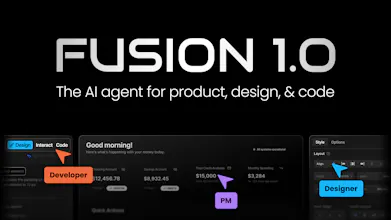
Fusion 1.0

The first AI agent for product, design, and code
Fusion is the first AI agent that unifies product, design, and code. It connects Slack, Jira, Figma, and your repo to turn ideas into production features. Edit visually with real code, sync designs bidirectionally, and let the bot handle PRs, fixes, and feedback. With AI memory, design system intelligence, and granular permissions, Fusion learns how your team builds and accelerates delivery across every stage of your workflow.
Fusion 1.0 gallery image
Free Options
Launch Team
ace.me
ace.me
Your new website, email address & cloud storage
Promoted

What do you think? …

Steve Sewell

Hi all!

Super excited to share Fusion 1.0, the first AI agent that connects product, design, and code into one seamless workflow.

Today, teams use separate AI tools in Slack, Figma, and IDEs that don’t talk to each other. Fusion changes that by living inside your existing tools and connecting the entire workflow from idea to production. It understands your projects, uses your components, and builds features the same way your team does.

Quick tutorial to get started:

  1. Tag @Builder.io in Slack or assign a Jira ticket and Fusion starts building instantly

  2. Connect your GitHub repository (or start fresh with a prompt)

  3. Import your Figma designs with bidirectional sync so design and code stay connected

  4. Edit visually in a collaborative canvas with full code precision using your real components

  5. Create PRs that your dev team can review and ship

Native mobile support for iOS and Android is coming soon

What excites us most is seeing product, design, and dev teams finally build together without handoffs or tool silos.

See the full announcement and demos: https://builder.io/blog/fusion

We’d love to hear your thoughts and feedback.

Masum Parvej

@steve_sewell How does Fusion handle conflicting updates between Figma and code during bidirectional sync?

Steve Sewell

@steve_sewell  @masump by default it takes it’s best guess, but you can also give natural language to give guidance too, like “I prefer the icons from the code, but the colors from the design”

Saul Fleischman

So you offer Github pull, but what about committing to a Github repository? From using several tools like this, this will be a bare-bones essential feature within weeks if not days. Also, actions to ears credits and solutions beyond Supabase for a scalable backend that does not jail us within Supabase.

Vishwas Gopinath

@osakasaul Hey Saul!

Every change you make commits directly to your connected GitHub repository. It works on a separate branch so you can review and merge changes through your usual PR workflow. If you prefer, you can also run Fusion locally with our desktop app and commit how you normally do.

On backends, Fusion integrates with Supabase, Neon, and any custom database or API via MCP servers. Fusion works with YOUR stack, and there is zero lock-in. Happy to answer any other questions you might have!

Sanyam Kamat

How can devs review the work done by designers and PMs? Also, is there a way to add custom instructions like Cursor/Claude when using Fusion?

Vishwas Gopinath

@sanyamkamat Hey! Great questions.

All updates from Fusion happen on a separate branch, so developers can review changes through the regular PR workflow. You can even comment directly in the PR, and the Builder bot will automatically apply fixes or refinements based on your feedback.

And yes, Fusion supports custom instructions (like Cursor or Claude Code) and can remember your team’s preferences across product, design, and engineering.

Sanyam Kamat

Awesome! another follow up question. Since our development happens within a private network, we are unable to use external visual editor tools. Does Fusion provide any solutions for such environments?

Vishwas Gopinath

Having watched our design team and PMs ship hundreds of fixes and features over the past few months, I can confidently say Fusion 1.0 is something special. Try it out!

Ciprian Balanica
Looks really interesting, are you able to have it create designs directly in Figma as well? Or is it just interacting as in seeing design and implementing them in code?
Vishwas Gopinath

@nair0 Hey! The Builder Figma plugin does support generating on-brand designs within Figma. We find better results when you directly design in code with Fusion. The platform also has Figma-like controls, so designers feel at home!

John Necef
Super interesting — excited to try this out!!
Vishwas Gopinath

@john_necef Let us know if you have any feedback!

Gonzalo Herrera Llobeta

Been playing with Builder lately and it’s actually kinda sick. The visual editor talks directly to your real components, so it’s not that usual “design-to-code-but-not-really” thing. The Figma integration is lit as well. 10/10

Steve Sewell
12
Next
Last