
Beam
A fast, keyboard-driven terminal organizer for macOS
1 follower
A fast, keyboard-driven terminal organizer for macOS
1 follower
Running Claude Code, multiple SSH sessions, and dev servers at once? Terminal tabs aren't enough anymore. Beam organizes your terminals into subwindows, each with its own tabs. Group related sessions together. Use the quick switcher (Cmd+P) to jump anywhere instantly. Save your entire workspace as a layout with quick restore. Keyboard-driven. Native macOS. Built for developers who live in the terminal. Free to start. Pro ($29 one-time) unlocks unlimited subwindows, layouts, and split panes.


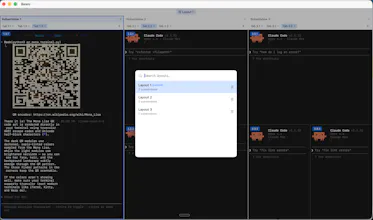


I built Beam because I was frustrated. I tried iTerm2, Warp, Cursor's terminal, the default macOS terminal. None of them let me group tabs into windows into projects the way I'd like. I'd have disparate clusters of terminals open and it started to become a pain and mental drain keeping track of what terminals/agents were for what goals within what scopes, etc.
Basically, Beam is the result of trying a lot of what's out there and not feeling satisfied. Beam is my dream app for this purpose, and I'm thrilled to share it here and hope everyone enjoys it as much as I do. I like apps like Snap as well for mapping keyboard shortcuts all over the place, and with terminals I wanted to build something that keeps up with the pace of creativity and imagination in the moment.
With this said, I've put a lot of care into this app and continue to push updates as inspiration strikes. As mentioned, I hope you enjoy using it as much as I do. Happy building!