No reviews yetBe the first to leave a review for Avvvatars
Maker
Hi hunters 👋,
It’s Oguz and Nusu here, for a long time we’ve been disturbed by the lack of a fancy user avatar placeholder library so we decided to do something in the weekend.
Today we’re here with Avvvatars, it’s an open source random avatar generator for your next React project, we would consider supporting other libraries such as Vue or Svelte in the future and contributions are always appreciated.
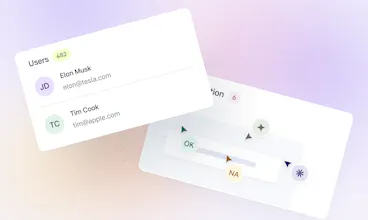
How Avvvatars works is extremely simple, you pass unique identifier to the plugin such as your users email address or full name, then it generates unique avatar for the given value.
There’s also options for changing size, choosing characters or shapes for avatars and enabling shadows.
Here are the list of futures
- 🌈 40 Colors - Colors are so on point that most of the projects can use it without changing it
- 💠 60 Shapes - Beautifully crafted shapes that are unique to your user with color combination
- 🆎 Text or Shapes 🔸 - Use letters (eg. JD for John Doe) or unique shapes
- 🤠 Unique to user - Generated avatars are unique to the string that you provide, it means if you pass janedoe@gmail.com you will always get the same avatar
- 🕊 Lightweight - less than 20kb compressed + gzipped
- ✍️ Customizable - use shadows, change size, provide alternative text to display
Let us know what you think, feedbacks are highly appreciated and have a nice day 👋
Hey, love this product as I just started dabbling in ReactJS! I've tried incorporating it into my project but the web page does not render anymore (results in blank page) when I merely try to import the package. Any idea why? There is no error displayed either. Thanks for the help!
@ouhzzz thanks for the comment, it's hard to say but is it possible that you left the value blank? if its not please create an issue on github with your code attached so I can look into it :)
Report
Hey @oguz_yagiz_kara really liked your initiative, will try this & also recommend it to my friends as well. Cheers on the launch... :D
This library runs into the same problem I've had with other avatar generators like dicebear: there's no simple way to save the avatar to a DB, for example. Which means you have to make a network req every time you want to use it.
@crevulus you don't have to save the avatar to the DB, you only need a unique identifier which can be user email or id, and the plugin will always return the same result, and there's actually no network request when generating avatars, it's in house.




Archbee
Trustmary Solo
Sales Sparrow by True Sparrow
Formcarry
CodeWords
Formcarry
Formcarry
Formcarry
mastermind.vision
Formcarry
Formcarry