
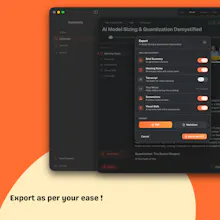
You're listening, nodding, engaged and walk out with nothing written down. Most tools fix this by sending your audio to their servers, training on your conversations, and charging you monthly for it. Askmeety doesn't. Everything runs on your Mac. No bot joins your call. Askmeety's VisualWalk captures key frames and turns them into a clean, blog-style summary. Your meetings, fully private.



Payment Required
Launch Team / Built With


CloudflareStill paying to deploy your apps? Try Cloudflare Workers for free
Promoted

how does it compare with meeting notes from gemini/gmeet?
@nikolas_dimitroulakis Hey Nikolas ! Thats a nice question. Gemini/Google Meet notes are actually pretty solid for teams already living inside Google Workspace, but Askmeety works on pretty much all platforms and even in-person meetings. The biggest difference is really around privacy + where the processing happens. And VisualWalk is something we haven’t really seen elsewhere yet, instead of just text summaries, it captures key visual moments and turns them into a clean walkthrough of what happened on screen.
@nalin_rajendran what dod you mean by in person meetings?
the visual walks yes, thats indeed nice. good luck with the launch!
Mac-only is a real constraint for a lot of teams. I've been using livesuggest.ai which is fully browser-based so nothing to install, works anywhere. Different angle too, more focused on real-time suggestions during the call rather than notes after, but the no-bot philosophy is the same.
VisualWalk is the part that caught me. Audio-only notetakers miss half of what happens in a meeting... the slide someone shared, the whiteboard, the doc on screen.... and the summary suffers for it. Treating frames as first-class context instead of just a transcription layer is a real shift. Curious how it decides which frames are "key".... content change detection, speaker emphasis, both?