
Aiden
Mobile Agent
7 followers
Mobile Agent
7 followers
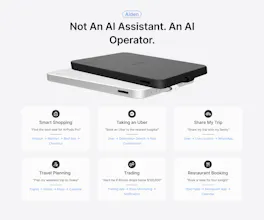
Aiden is a physical mobile AI agent device that plugs into any phone or computer via USB. It sees the screen, hears your voice, and operates the device for you — no app install required. It works through HDMI capture and USB HID control. No backend. No cloud. Zero data collection. Everything runs locally and it's open source.




Maker update: found and fixed a real iOS bug this week
While building out Aiden's keyboard input handling, we hit something strange: modifier-key shortcuts (Cmd+V, Cmd+A, Shift+X) would intermittently fail on iPhone, while plain letters typed fine every time.
Took a proper controlled experiment to isolate it, keyboard-only setups worked 32/32, adding a mouse brought the failure back, removing it again fixed it, 22/22 clean. Turned out iOS was routing the command to the wrong place (SpringBoard, the home screen process, instead of whatever app was actually open) whenever AssistiveTouch was on and it saw both a keyboard and a mouse connected. We confirmed it's not specific to our hardware, it reproduces on a totally unrelated gaming keyboard and a Bluetooth keyboard too.
Our fix switches Aiden to a keyboard-only USB profile right before any modifier-key action, then restores mouse capability after. Workaround, not a real fix (that's on Apple's side), but it works reliably now.
Full writeup with the actual experiment data: https://aidenai.io/blog/ios-external-keyboard-modifier-keys-failing
Repo: https://github.com/AidenAI-IO/aiden-firmware
Plugged it into my laptop and asked it to open a few tabs and pull up a doc, and it just did it without any setup. Love that nothing leaves the device.